.png)
AI Shopping Assistants for Shopify in 2026: The Complete Guide
How AI shopping assistants improve product discovery, automate recommendations and reduce support volume for Shopify brands, plus a 7-step setup plan.
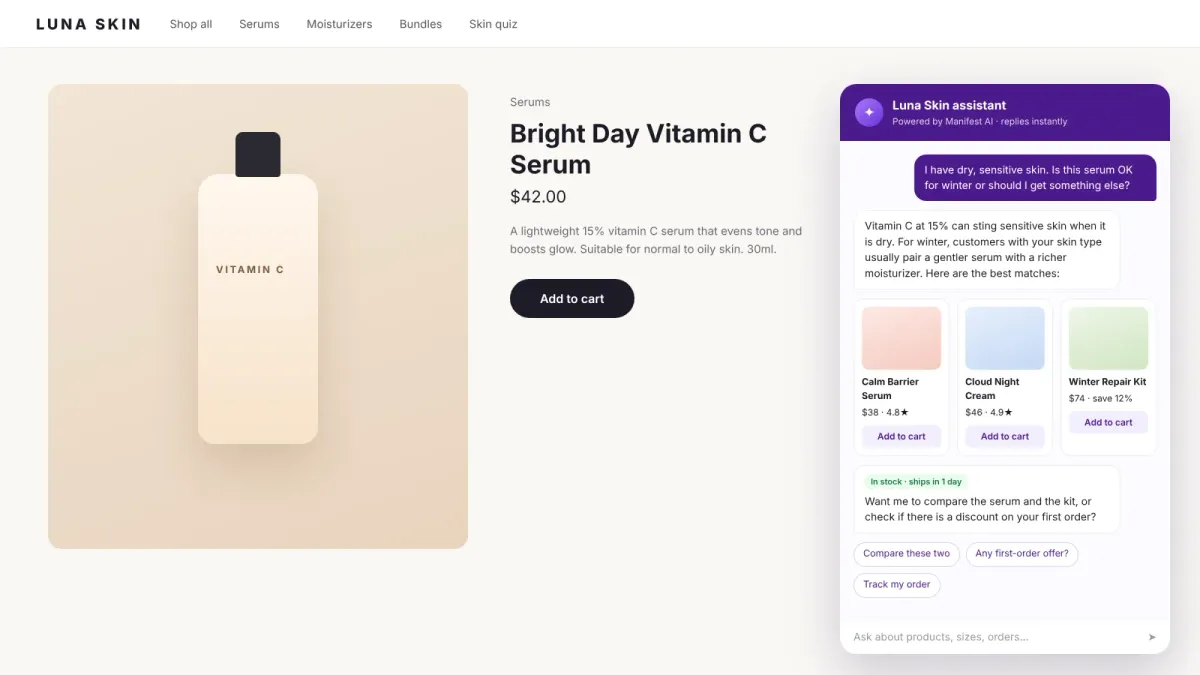
Shoppers have changed how they search. They no longer want to click through 14 filters to find a moisturizer. They want to type "something light for oily skin under $40" and get an answer. AI shopping assistants make that possible on a Shopify store, and in 2026 they have moved from novelty to standard equipment for growing brands.

This guide explains what an AI shopping assistant is, how it improves product discovery, how it automates recommendations, how it cuts support volume, and how to roll one out on Shopify without hurting the customer experience.
What is an AI shopping assistant?
An AI shopping assistant is a conversational agent that sits on your store (and often on WhatsApp, Instagram and email) and helps shoppers decide what to buy. It reads your Shopify catalog, understands what the shopper is asking for in plain language, and responds with specific products, reasons and next steps.
It is different from a classic chatbot. A rule-based chatbot follows scripted flows and mostly answers FAQs. A shopping assistant uses a large language model grounded in your catalog and policies, so it can handle open-ended questions, compare products and recommend bundles. We break down the difference in Chatbot vs AI Shopping Assistant.
How AI shopping assistants improve product discovery
Product discovery breaks down in three places on most Shopify stores: search that only matches keywords, collection pages with too many options, and product pages that do not answer "is this right for me?". An AI shopping assistant fixes each one.
- Natural-language search: "running shoes for flat feet" works even if no product title contains "flat feet", because the assistant reads descriptions, metafields and reviews.
- Guided narrowing: the assistant asks one or two questions (skin type, size, budget, occasion) instead of asking shoppers to configure filters.
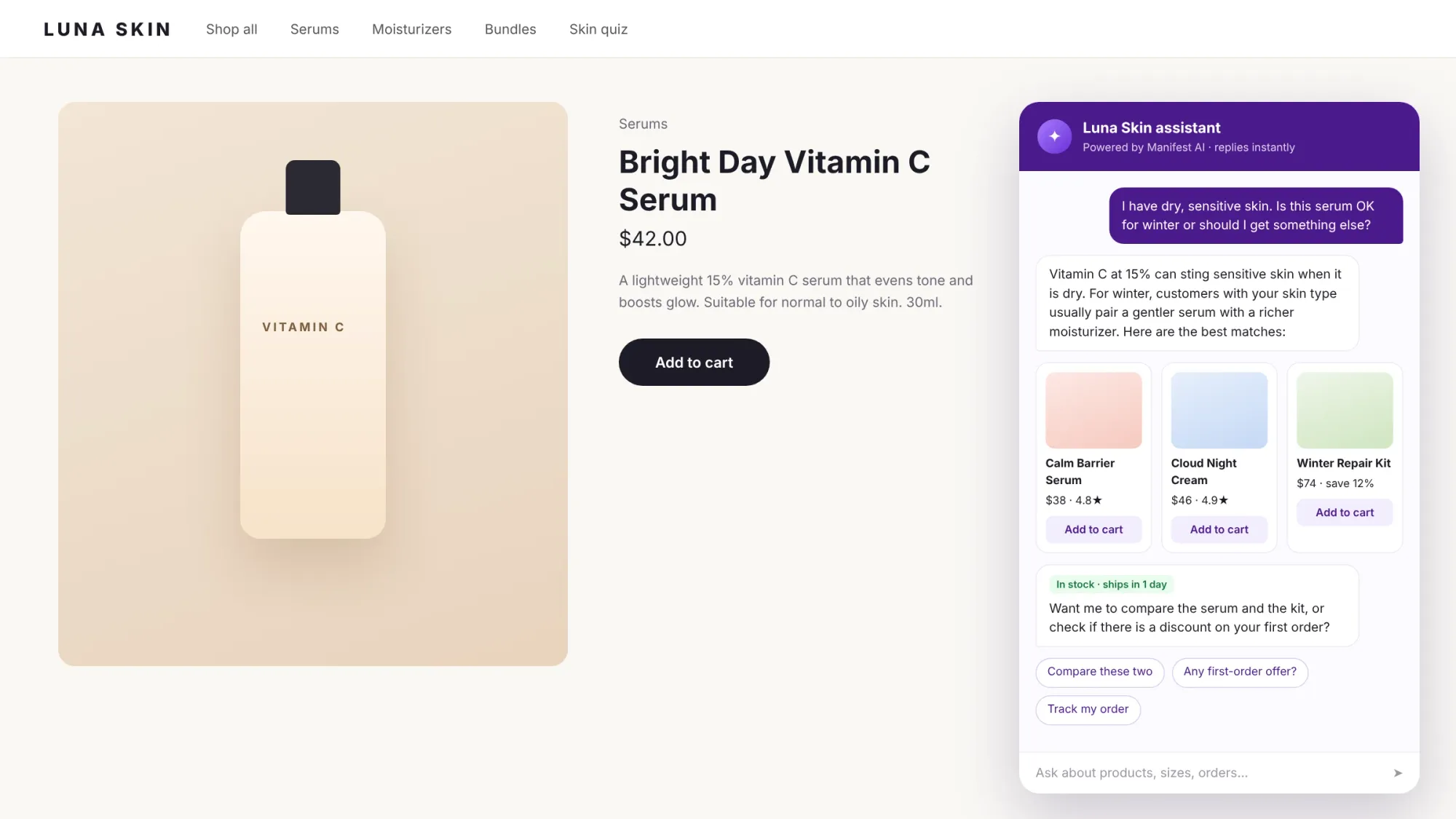
- Answers on the product page: fit, ingredients, compatibility and care questions get answered in place, which is where hesitation happens.
- Comparisons: "what is the difference between these two?" gets a short side-by-side instead of two open tabs.
- Quizzes and size help: for categories like beauty and apparel, a 3-question quiz or size prediction often beats free-text chat.
Want a chatbot that sells, not just answers? Brabar shoppers who chatted with Manifest AI converted about 6x more often than those who didn't.
How they automate product recommendations
Traditional recommendation widgets ("customers also bought") are based on aggregate behavior. A shopping assistant recommends based on what this shopper just told it, combined with your catalog rules.
- Intent-based recommendations: the assistant maps a stated need to products, then ranks them by fit, availability and margin rules you set.
- Bundles and cross-sells: it can suggest the cleanser that pairs with the serum, or a kit that saves the shopper money.
- Inventory awareness: it skips out-of-stock variants and can offer a back-in-stock alert.
- Follow-up on other channels: on platforms like Manifest AI, a shopper who asked on Instagram can get the same recommendation thread continued on WhatsApp.
How they reduce support volume
A big share of "support" tickets are really pre-purchase questions or simple order lookups. An AI shopping assistant that also handles support can resolve these before they ever reach an agent:
- Where is my order (WISMO) and delivery ETA
- Shipping regions, costs and timelines
- Returns and exchange eligibility
- Discount codes and offers
- Product, sizing and ingredient questions
When a question does need a human, the assistant should hand over with a summary so the agent does not have to re-read the whole conversation. Brands that combine an AI agent with a proper helpdesk see the biggest drop in handle time. Bunaai, for example, streamlined 10k+ monthly support tickets with BIK.ai.
Key capabilities to look for in 2026
| Capability | Why it matters |
|---|---|
| Automatic Shopify catalog sync | Prices, variants and stock stay accurate without manual training |
| Grounded answers with guardrails | The assistant only recommends real products and follows your policies |
| Product cards and add-to-cart in chat | Shortens the path from question to checkout |
| Quizzes, comparisons and size help | Different categories need different discovery formats |
| Order tracking, returns and FAQs | Support questions appear in the same conversation as sales questions |
| WhatsApp, Instagram and email, not just web | Many shoppers start conversations off-site |
| Human handover with context | Agents pick up where the AI left off |
| Revenue attribution and intent analytics | Proves ROI and shows what shoppers are asking for |
How to set up an AI shopping assistant on Shopify: 7 steps
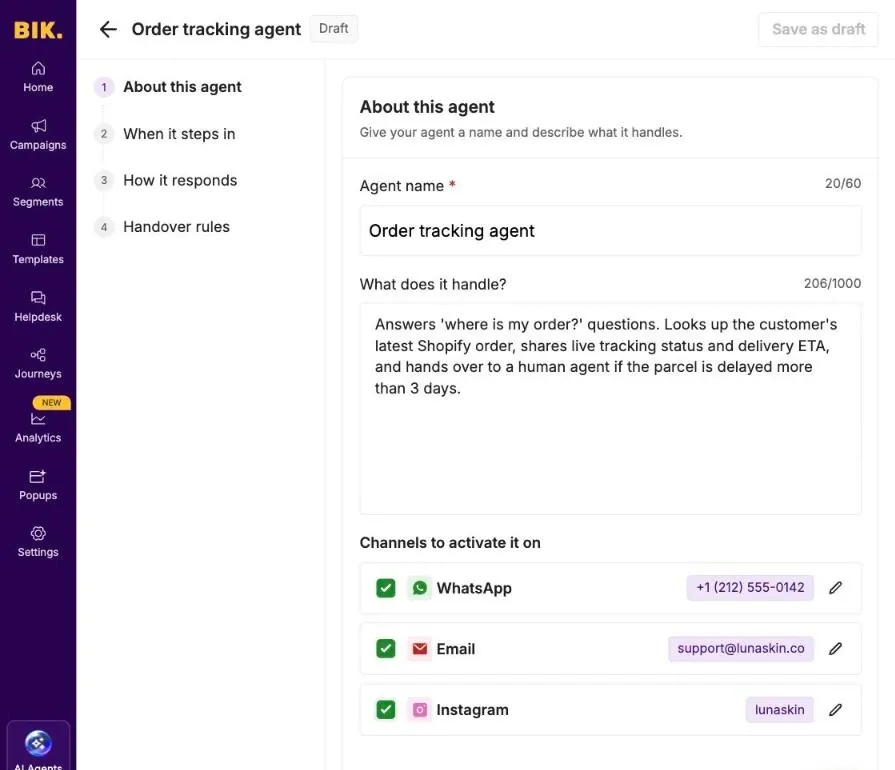
- Pick your top use cases. Start with two: product recommendations on your best-selling collections, and order tracking.
- Connect Shopify and sync your catalog. Check that metafields like ingredients, materials and size charts are filled in, because the assistant can only be as good as your product data.
- Write the brief. Most platforms now let you describe what an agent handles in plain language, choose the channels it runs on and set handover rules.
- Add guardrails. Define what it must never do (promise delivery dates you cannot hit, give medical advice) and when to hand over.
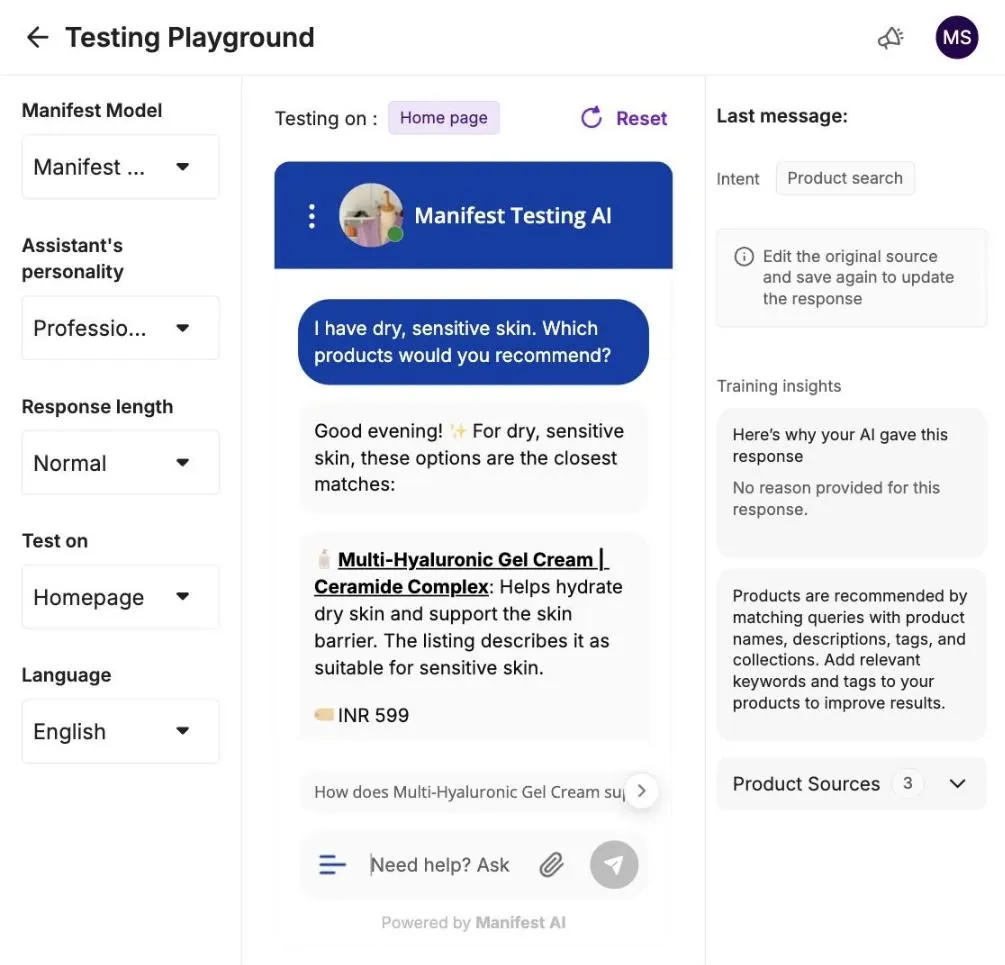
- Test with real questions. Pull 50 questions from your inbox and run them through the assistant before going live. Most platforms give you a sandbox for this.
- Launch on web first, then expand. Once answers are reliable, switch on WhatsApp, Instagram and email.
- Review weekly. Read transcripts where shoppers dropped off and fix the gaps in product data or instructions.
See what your brand could automate. Our team builds the agents for you, and most brands are live in about 2 weeks.
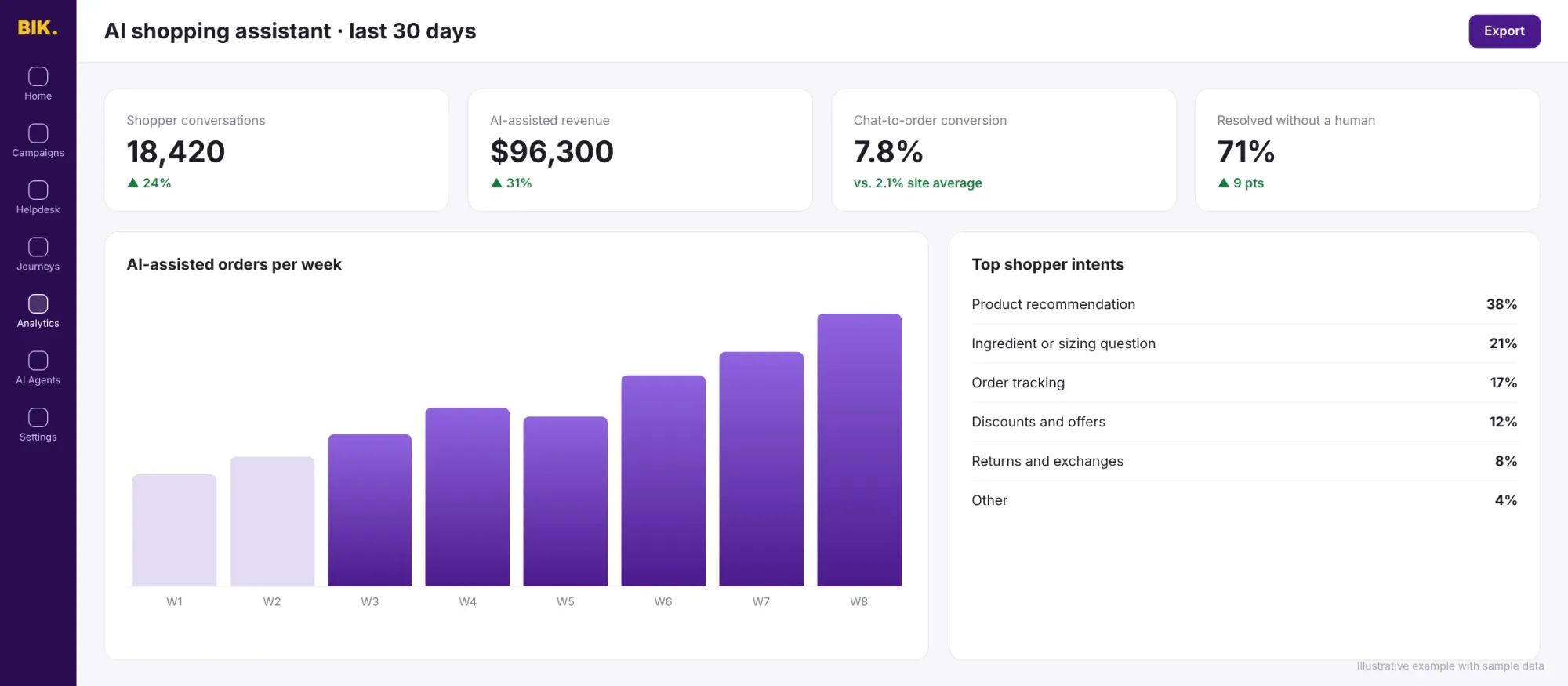
Metrics to track
- Chat-to-order conversion: orders from shoppers who used the assistant, divided by assistant conversations
- AI-assisted revenue: revenue from orders placed after an assistant conversation
- Add-to-cart rate from chat
- Resolution rate without a human for support questions
- Top shopper intents: what people ask most, which feeds your merchandising and content
Common mistakes to avoid
- Launching with thin product data. If your size charts live in images, the assistant cannot read them.
- Hiding the human option. Shoppers trust AI more when they know they can reach a person.
- Measuring only deflection. A shopping assistant should be judged on revenue too, not just tickets avoided.
- Treating it as set-and-forget. New launches, promotions and policy changes need to reach the assistant.
Which AI shopping assistant should you use?
It depends on your catalog, channels and volume. We compared the main options, including Manifest AI, Rep AI, Zipchat, Gorgias, Tidio and Octane AI, in Best Shopify AI Chatbots for Product Discovery (2026).
80%+ of tickets automated, or your money back. That's the Manifest AI guarantee, written into your contract.
FAQ
What is the difference between an AI chatbot and an AI shopping assistant for Shopify?
A chatbot mainly answers FAQs through scripted flows. An AI shopping assistant understands open-ended questions, reads your catalog and recommends specific products, while also handling support questions.
Do AI shopping assistants actually increase conversion?
Yes, when they are grounded in good product data. Shoppers who get a direct answer to "is this right for me?" are far more likely to add to cart. Manifest AI customers report up to a 30% uptick in add-to-carts, while automating up to 90% of support tickets.
Can an AI shopping assistant replace my support team?
No. It removes repetitive questions so your team can focus on complex, high-value conversations. The best setups hand over to humans with full context.
How much does an AI shopping assistant cost?
Entry tools start free or under $100/month. Platforms that cover multiple channels and support use cases typically start in the hundreds per month. Manifest AI plans start at $500/month, with a startup plan for newer brands and a free trial.
See an AI shopping assistant on your own store
Manifest AI powers AI shopping assistants for 500+ ecommerce brands across web, WhatsApp, Instagram and email. Book a demo and we will run it on your catalog.