.png)
BIK vs ManyChat for Shopify Brands (2026): Which Instagram Automation Fits?
BIK vs ManyChat compared on comment-to-DM selling, checkout in DMs, order data, AI, inbox and pricing, with when each one is the better choice.
Updated October 2026 · By Sonakshi Nathani, Co-founder and CEO, Manifest AI by BIK
Short answer: ManyChat is a general-purpose chat automation tool that is cheap and quick to start, and it works well for creators and for brands using Instagram mainly to collect leads. BIK is built for ecommerce: it sends product cards from your catalog when someone comments "PP", lets shoppers check out inside the DM, answers order questions with live store data, and puts Instagram, WhatsApp and email in one inbox. If Instagram is where you sell and support, BIK does more of the job. If Instagram is mostly top-of-funnel, ManyChat is the cheaper choice.
Disclosure: we make BIK. ManyChat facts come from its pricing page and community forum as of October 2026.
BIK vs ManyChat at a glance
| BIK | ManyChat | |
|---|---|---|
| Built for | Ecommerce brands | Creators, coaches and small businesses of every kind |
| Shopify connection | Native: catalog and order data | No native integration since 2025; Zapier, Make or API requests |
| "Price please" comments | Product card from your catalog in the DM, with add to cart | Keyword reply you build yourself, usually with a link |
| Checkout in DMs | Yes: browse, details, payment link, confirmation | Links out to your store |
| Instagram triggers | DMs, forwarded posts and ads, comments on posts, reels and ads, story replies and mentions, events | DMs, comments, story replies and mentions |
| AI | AI agents for order tracking, cancellations, returns, cross-sell; AI comment and story replies | Manychat AI replies using business info you provide |
| Inbox | Full helpdesk, AI labels, handoff rules; free with Manifest AI, unlimited seats | 1 to 5 inbox seats depending on plan |
| Other channels | WhatsApp, email, SMS, voice in one CRM | Messenger, TikTok, Telegram, WhatsApp, SMS, email on Pro and above |
| Measurement | Comments, clicks, orders and revenue per post | Automation insights on Business and Advanced |
| Price | From $250/month, by unique contacts, AI credits included | $0 to $139/month billed annually, by active contacts, plus overage |
Turning comments into orders
This is the biggest difference for a store. When a shopper comments "PP" or "price?" under a reel, ManyChat can reply and send a DM, but you write the message and usually include a link to the product page. You keep products, prices and links up to date yourself.
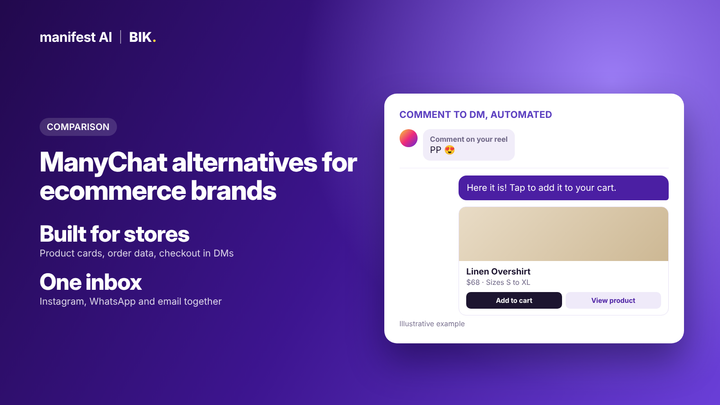
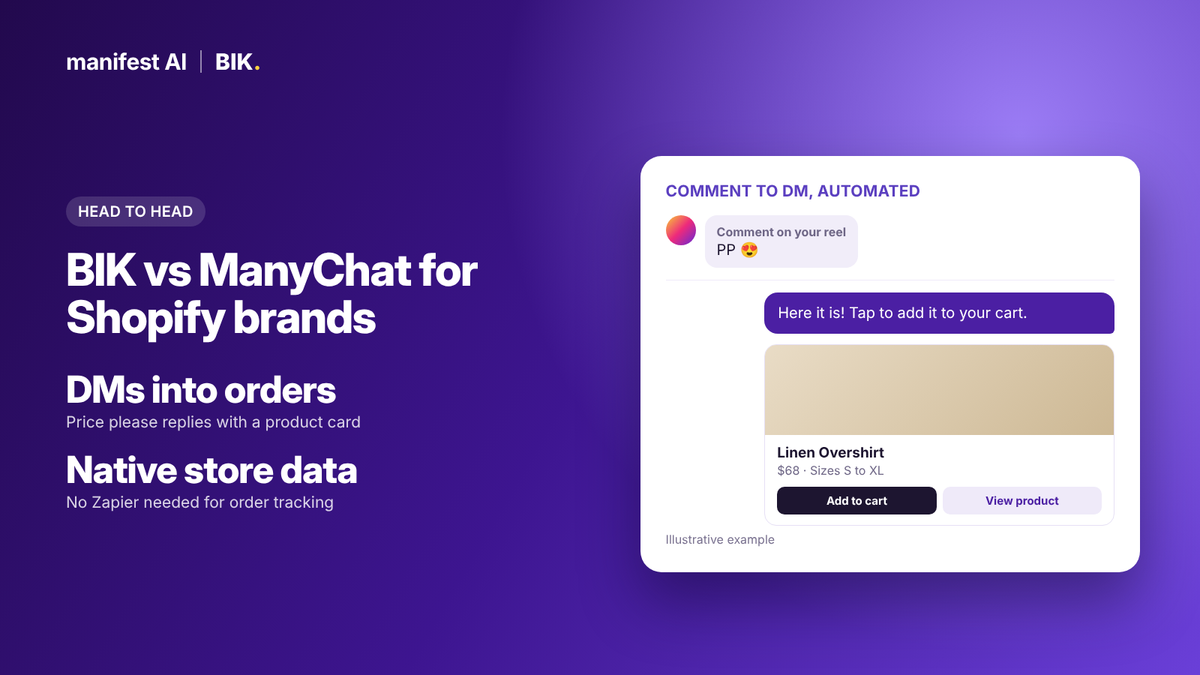
BIK's price please automation does this from your catalog. It replies to the comment, then sends a product card to the DM with the live product and two buttons you choose, such as add to cart or view product. BIK's AI maps each post to the right product using its caption, so new posts are covered without manual setup. It works on posts, reels and ads, and can follow up within the 24-hour window with shoppers who didn't click.
Selling inside the DM
BIK's pre-built Instagram flows let a shopper browse collections, pick a product, share delivery details and pay through a payment link, then get a payment confirmation, all inside Instagram (how it works). ManyChat flows typically end with a link to your website, where the shopper starts checkout from scratch.
Order data and support
A ManyChat community moderator confirmed in June 2025 that ManyChat no longer supports a native Shopify integration, and suggested Shopify Flow, Zapier, Make or custom API requests instead, noting that Make and Zapier "can get expensive" at volume. That matters the moment a shopper DMs "where is my order?".
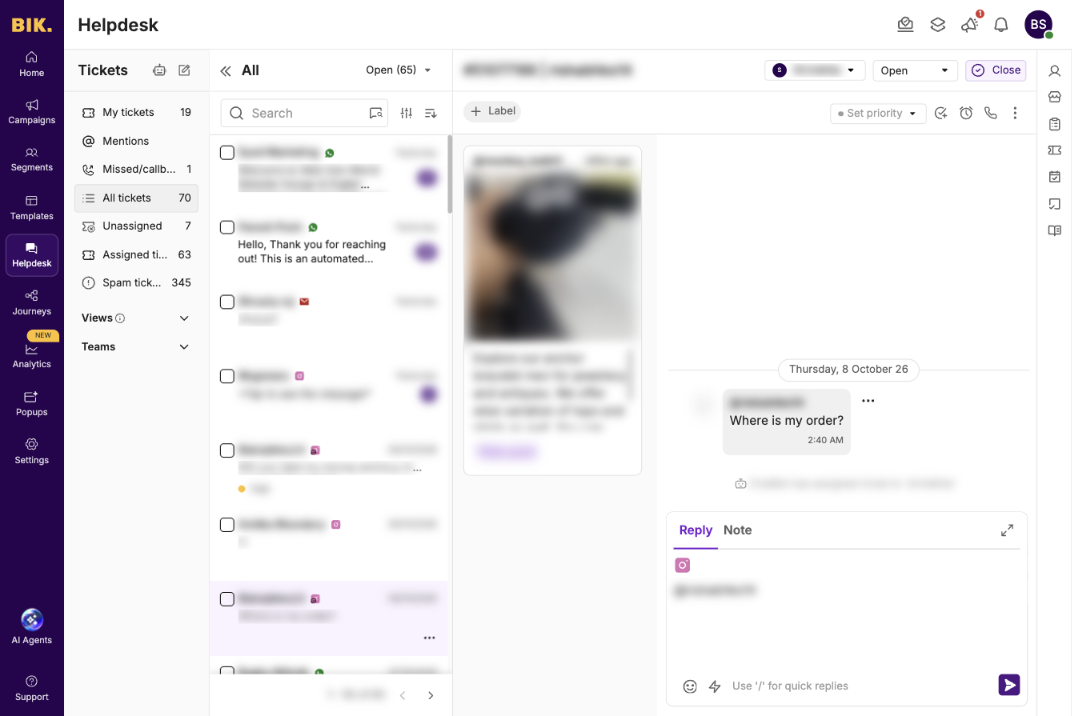
In BIK, Instagram DMs land in the same helpdesk as WhatsApp and email. AI agents built for Instagram handle order tracking, cancellations, and returns and refunds with live store data, and hand off to your team with escalation rules when needed.
AI: knowledge-base replies vs agents with live data
Manychat AI, included from the Pro plan, replies to DMs and comments using business information and tone you provide. According to eesel's review, it answers from a knowledge library you paste in, up to 250,000 characters, and you preview replies before they go live. That works well for FAQs.
BIK's Instagram AI agents are built for store tasks and use live data: tracking an order, handling a cancellation or a return, recommending a cross-sell, or collecting details. There are also AI flows for comment engagement and story replies. When an agent needs a human, escalation rules hand the conversation to your team in the helpdesk.
Templates you start from
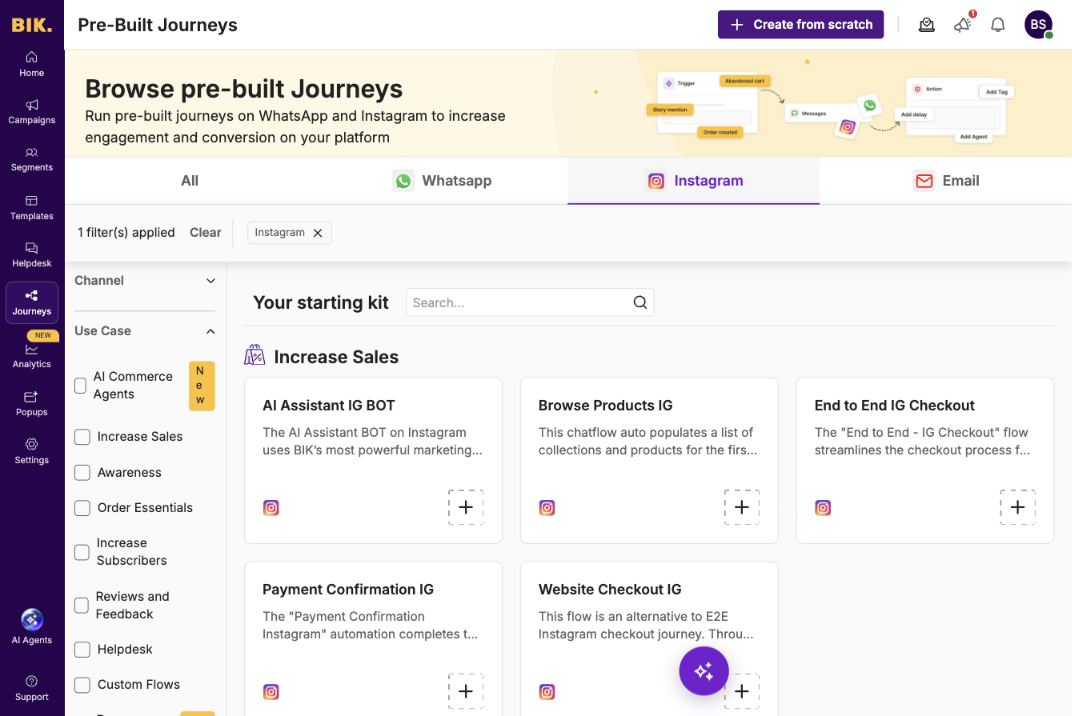
BIK's journey library includes pre-built Instagram flows, so you rarely start from a blank canvas:
| Goal | Pre-built BIK journeys |
|---|---|
| Sell | AI Assistant IG Bot, Browse Products IG, End to End IG Checkout, Payment Confirmation IG, Website Checkout IG |
| Grow and engage | Story Mention Automation, Story Reply Automation, Collab/Influencer Journey IG, Lead Capturing on IG, Welcome Customers IG, AI Comment Engagement Flow, AI Story Reply |
| Support | Track Order IG, Where is my Order IG, Assign to Agent IG, CSAT on Chat Closure IG, Auto reply to comments other than PP |
| AI agents | Order Tracking, Cancellation, Return/Refund, Cross Sell, Info Collection, General Purpose |
Three everyday scenarios
| Scenario | With ManyChat | With BIK |
|---|---|---|
| Shopper comments "PP" on a reel | Automated DM with your message and a link | Comment reply, then a live product card with add to cart; revenue tracked against the reel |
| Shopper DMs "where is my order?" | Needs a Zapier, Make or API connection to answer, or a human | AI agent answers with live order status, or hands off in the helpdesk |
| Customer tags you in a story | Story mention automation, such as a thank-you | Story mention automation with a heart reaction and a reward, such as a discount code |
Instagram triggers, side by side
Both tools respond to the moments Instagram allows a business to message someone. The difference is what happens next.
| Trigger | What BIK can do | What ManyChat can do |
|---|---|---|
| Comment on a post or reel | Reply publicly, send a product card or any journey to the DM, filter by specific posts and keywords | Reply publicly and send a DM flow, filtered by post and keyword |
| Comment on an ad | Same as posts, with a choice of ad account and specific ads | Comment automation on ads |
| DM, including a forwarded post or ad | Start a journey or AI agent based on keywords, the post or ad forwarded, or intent | Keyword-based flows and Manychat AI replies |
| Story reply | Journey by keyword, or an AI story reply | Story reply flows |
| Story mention | Thank, react with a heart and reward with a code | Story mention flows |
| Chat closed | Send a CSAT survey | - |
Instagram rules both tools follow
Meta's rules apply to every tool. A business can message someone only after they DM you, comment, or reply to or mention your story. You can't message people for following or liking, and you can't send order confirmations or abandoned cart messages on Instagram unless the shopper has messaged you. Automated follow-ups have to happen within 24 hours of the shopper's last message. Because of this, brands that sell on Instagram also need WhatsApp or email for post-purchase messages, which BIK includes in the same platform. BIK's lead capturing journeys collect the shopper's WhatsApp number in the Instagram DM, so those messages can follow on WhatsApp.
Setup and day-to-day work
ManyChat is self-serve. You pick a template, connect your account and edit the flow in its visual builder. It's fast for one or two flows, and there is a large community of creators and agencies sharing templates.
BIK starts from pre-built Instagram journeys and AI agents, connected to your catalog and store. Day to day, your team works in one helpdesk across Instagram, WhatsApp and email, with AI labels and priorities on every conversation, so DMs that need a human aren't lost among automated ones.
What brands measure in each tool
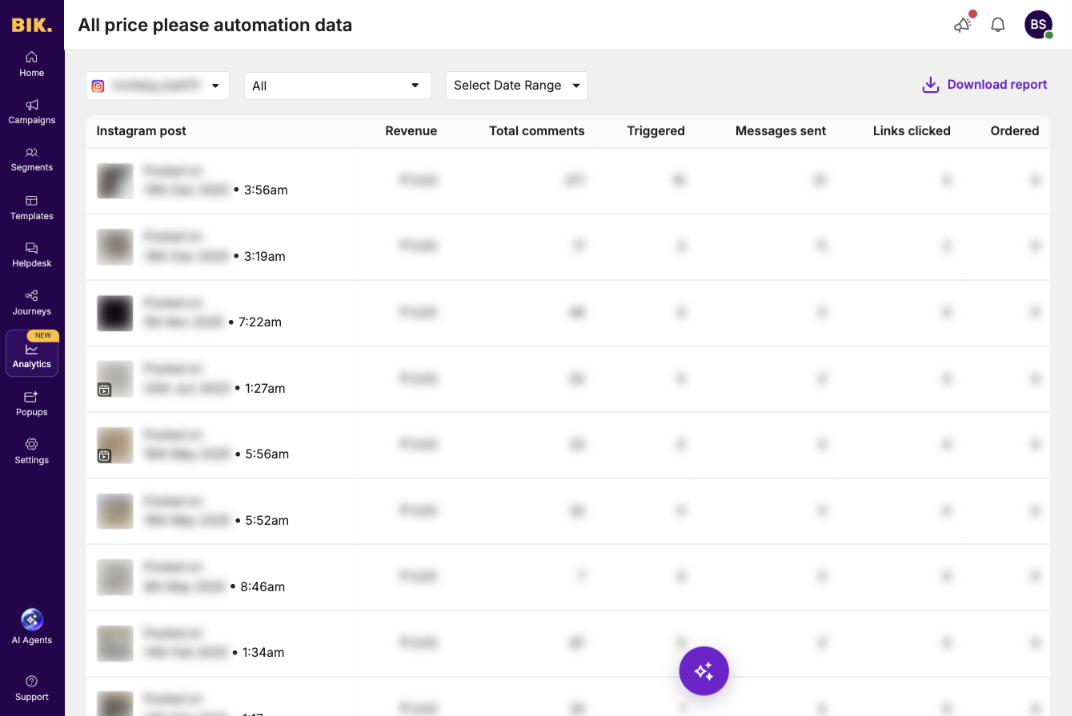
In ManyChat, you see how many people entered a flow and clicked a link; Business and Advanced add automation insights. In BIK, price please analytics show, for every post: total comments, automations triggered, messages sent, links clicked, orders and revenue. That makes it easy to see which reels actually sell, and to put more budget behind them.
Pricing compared
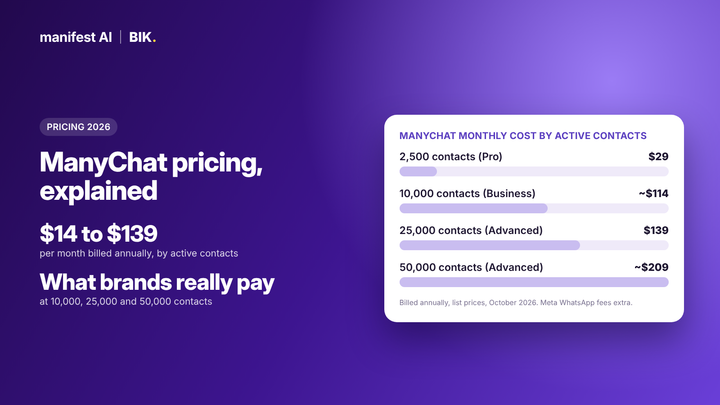
ManyChat is priced by active contacts, meaning everyone you message in a month. On annual billing, the cheapest plan for each audience size works out to:
| Active contacts a month | Cheapest ManyChat plan | Monthly cost |
|---|---|---|
| 2,500 | Pro | $29 |
| 5,000 | Business | $69 |
| 10,000 | Business | ~$114 |
| 25,000 | Advanced | $139 |
| 50,000 | Advanced | ~$209 |
BIK starts at $250/month and is priced by unique contacts with AI credits included. The fair comparison isn't ManyChat alone. It's ManyChat plus whatever you add to make it work for a store: Zapier or Make for order data, a catalog app, a helpdesk for your team, and a separate WhatsApp or email tool. See ManyChat pricing explained for the full breakdown.
Example: running a product drop on Instagram with BIK
- Before the drop: post a teaser reel asking followers to comment "DROP". A comment trigger replies publicly and sends a DM asking if they want early access, and captures their WhatsApp number for launch-day reminders.
- Launch day: the launch post goes live. Price please automation is already mapped to the new products by caption, so every "PP" comment gets a product card with add to cart.
- In the DM: shoppers who ask about sizing or delivery get answers from the AI assistant, and can check out inside Instagram with a payment link.
- Within 24 hours: shoppers who opened a product card but didn't click get one follow-up, while Instagram still allows it.
- After the drop: early-access subscribers get order updates and cross-sell messages on WhatsApp, and your team reviews revenue per post in price please analytics.
With ManyChat, steps 1 and 2 work with links to your site. Steps 3 to 5 need extra tools for checkout, order data and analytics.
What a ManyChat stack costs a store
ManyChat's own plan is cheap, but stores rarely run it alone. A typical setup adds:
- An automation tool such as Zapier or Make to pull Shopify order data, priced by tasks or operations.
- A catalog app to show live products, such as a third-party app from the ManyChat app store.
- A helpdesk for the team once DMs include order questions and returns.
- A WhatsApp and email tool for post-purchase messages Instagram doesn't allow.
Add these up before comparing. BIK includes all four for a store, and with Manifest AI the helpdesk is free.
When ManyChat is the better choice
- You are a creator, coach or service business, not an online store.
- Instagram is mainly for lead magnets and growing an email or WhatsApp list.
- Fewer than a few thousand people message you a month, and nobody asks about orders in DMs.
- You want to start today for $0 to $29 a month.
When BIK is the better choice
- You want to move Instagram shoppers onto WhatsApp: BIK journeys collect their WhatsApp number in the DM.
- Comments and DMs drive sales, and you want them to become orders without leaving Instagram.
- Shoppers ask about orders, returns and sizing in DMs.
- You also sell and support on WhatsApp and email, and want one customer view.
- You want revenue reported per post, not just messages sent.
FAQ
Is BIK a ManyChat alternative?
Yes, for ecommerce brands. BIK covers ManyChat's Instagram automations and adds catalog product cards, checkout in DMs, order data, a helpdesk and WhatsApp and email.
Does ManyChat work with Shopify?
Not natively anymore. Brands connect it through Zapier, Make, custom API requests or third-party apps.
Which is cheaper, BIK or ManyChat?
ManyChat, for small audiences and simple flows. BIK starts at $250/month but replaces several tools for a store.
Can I move my ManyChat automations to BIK?
Yes. Most ManyChat flows map to BIK's pre-built Instagram journeys. Switch one trigger at a time so shoppers never get two replies. See our migration checklist.
Does BIK work on Instagram ads?
Yes. Price please automation and comment triggers work on ads as well as posts and reels.
Book a demo to see BIK's Instagram automations on your account.