
How to Build a CX Automation Roadmap for an Ecommerce Support Team (90-Day Template)
A three-phase, 90-day plan: answer common questions, add actions with guardrails, then proactive and revenue flows, with KPIs and a template.
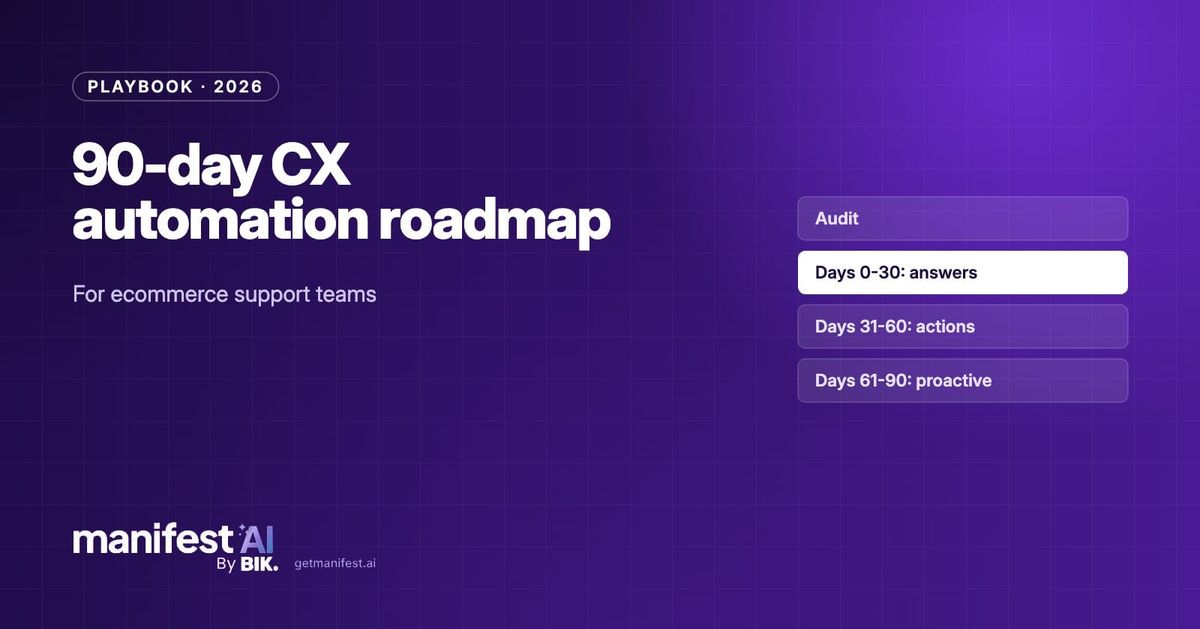
A practical CX automation roadmap for an ecommerce support team runs in three 30-day phases. Days 0-30: audit your tickets and automate the most common simple questions (order status, shipping, returns policy, FAQs) on chat and email. Days 31-60: let the AI take actions such as starting returns, cancelling unfulfilled orders and updating addresses, with guardrails. Days 61-90: add proactive and revenue flows on WhatsApp, Instagram and voice, such as cart recovery and delivery updates. Measure automation rate, accuracy, CSAT and cost per ticket at each stage before moving on.

Manifest AI is our product; the roadmap works with any AI support tool.
Step 0: audit before you automate
- Tag a sample of 200-300 recent tickets by contact reason.
- Measure your baseline: first response time, resolution time, CSAT, cost per ticket.
- Sort reasons into answer-only, answer plus action, and always-human.
- Fix the source: some tickets disappear with better shipping emails or product page details.
| Contact reason | Typical type | Phase |
|---|---|---|
| Where is my order? | Answer with live data | 1 |
| Shipping times and costs | Answer only | 1 |
| Returns policy questions | Answer only | 1 |
| Product and sizing questions | Answer from catalog | 1 |
| Start a return or exchange | Action | 2 |
| Cancel or change an order | Action | 2 |
| Damaged or missing items | Action plus human review | 2 |
| Cart recovery, delivery updates | Proactive | 3 |
| Complaints, chargebacks, legal | Always human | Never |
Looking for an AI agent built for ecommerce? Manifest AI sells and supports across chat, email, Instagram and WhatsApp.
Phase 1 (days 0-30): answer the common questions
- Connect the AI agent to Shopify for live order and product data.
- Load policies as clear rules with numbers and dates.
- Launch on web chat and email for phase-1 reasons only.
- Set handoff rules and approved wording for delays and refunds.
- Review conversations weekly and fix wrong answers.
Exit criteria: accuracy above your target on a reviewed sample, CSAT at or above human-handled tickets, and a stable automation rate for phase-1 reasons.
Phase 2 (days 31-60): add actions with guardrails
- Allow specific actions: start returns, offer exchanges, cancel unfulfilled orders, update addresses before fulfilment.
- Set value limits and identity checks.
- Route damaged-item and high-value cases to a person with a summary.
- Log every action and review a sample weekly.
See our guides on AI agents for cancellations and edits and refund guardrails.
Phase 3 (days 61-90): proactive and revenue flows
- WhatsApp and Instagram: bring the same agent to the channels customers already use.
- Proactive updates: shipping delays and delivery confirmations before customers ask.
- Cart recovery: reminders by message, and outbound AI calls where they suit your market.
- Pre-purchase help: product recommendations on product and cart pages.
See what your brand could automate. Our team builds the agents for you, and most brands are live in about 2 weeks.
KPIs to track at every phase
| KPI | What it tells you |
|---|---|
| Automation rate by contact reason | Where the AI is and isn't working |
| Accuracy on reviewed sample | Whether answers are right |
| CSAT, AI vs human | Whether customers are happy |
| Repeat contacts within 48 hours | Whether the first answer solved it |
| Cost per ticket | Whether it's saving money |
| Assisted revenue | Whether it's helping sell (measure with a holdout) |
Governance
- One owner for the AI agent's policies and knowledge.
- A change log for policies, actions and handoff rules.
- A freeze on big changes in the two weeks before major sales.
- A monthly review with support, ecommerce and finance.
Roadmap template
- Baseline (week 0): tickets/month ___, top 5 reasons ___, cost per ticket ___, CSAT ___.
- Phase 1 target (day 30): automate ___ for reasons ___ on channels ___.
- Phase 2 target (day 60): actions allowed ___, limits ___.
- Phase 3 target (day 90): proactive flows ___, revenue metric ___.
How Manifest AI follows this roadmap
Manifest AI is an AI shopping assistant and support agent for ecommerce brands, used by 500+ brands and backed by Y Combinator. Our team runs the audit, builds your agents and launches in phases across web chat, WhatsApp, Instagram and email, with outbound AI calls for cart recovery. We guarantee 80%+ automation within 30 days or your money back.
Pricing: $0.05 per AI reply with a $500/month minimum and a 30-day free trial.
FAQ
What should ecommerce support automate first?
Order status, shipping and returns-policy questions: they're common, simple and answerable from live data.
How long does CX automation take?
A phased rollout takes about 90 days: answers first, then actions, then proactive and revenue flows.
What should never be automated?
Complaints, chargebacks, legal and safety issues should always reach a person, with the AI passing on a summary.
How do I measure CX automation success?
Track automation rate by contact reason, accuracy, CSAT, repeat contacts and cost per ticket at each phase.