.png)
Agent Builder: what it is, how it works, and how to build your first agent
How Agent Builder works, from the four build steps to guardrails, channels and Artifacts, plus which agent to build first for your store.

Your team handles the same few jobs all day. A shopper asks where an order is. Another wants to cancel it. A third can't choose between two products and leaves the page.
An agent can take those jobs on. Agent Builder is how you build one, and this guide covers all of it: what it is, why you'd use it, how each step works, where it runs, and which agent to build first.
What Agent Builder is
Agent Builder is Manifest AI's self-serve tool for building agents that automate marketing and support for your store. You describe the job. You choose the tools the agent can use. You set where it hands over to your team. Then you test it and go live.
An agent has one job and sees it through. It finds the right product for a shopper, looks up an order, cancels it and issues the refund. If the job needs another skill, it passes that piece to a sub-agent. If a person should step in, it hands over.
Agents in Agent Builder call tools. They search your catalog, check stock, track a shipment, cancel an order. The reply comes after the work is done, so the shopper gets an answer that is true for their order.

Why use Agent Builder
- Your team gets the repeat work back. Order status, cancellations, product picks. The agent takes the first pass at these jobs, so your team spends its time on the conversations that need a person.
- You build it yourself. Every step is written in your own words, and a developer isn't part of the process.
- You decide the limits. Guardrails, handover rules and a test before go-live come with every agent.
- One build runs on four channels: your storefront, Instagram, WhatsApp and email.
Busy seasons repeat the same jobs at higher volume. An agent you built and tested in a quiet week is already working when the rush arrives.
The four steps
Every agent is built in 4 steps. We'll use a gift finder as the example.
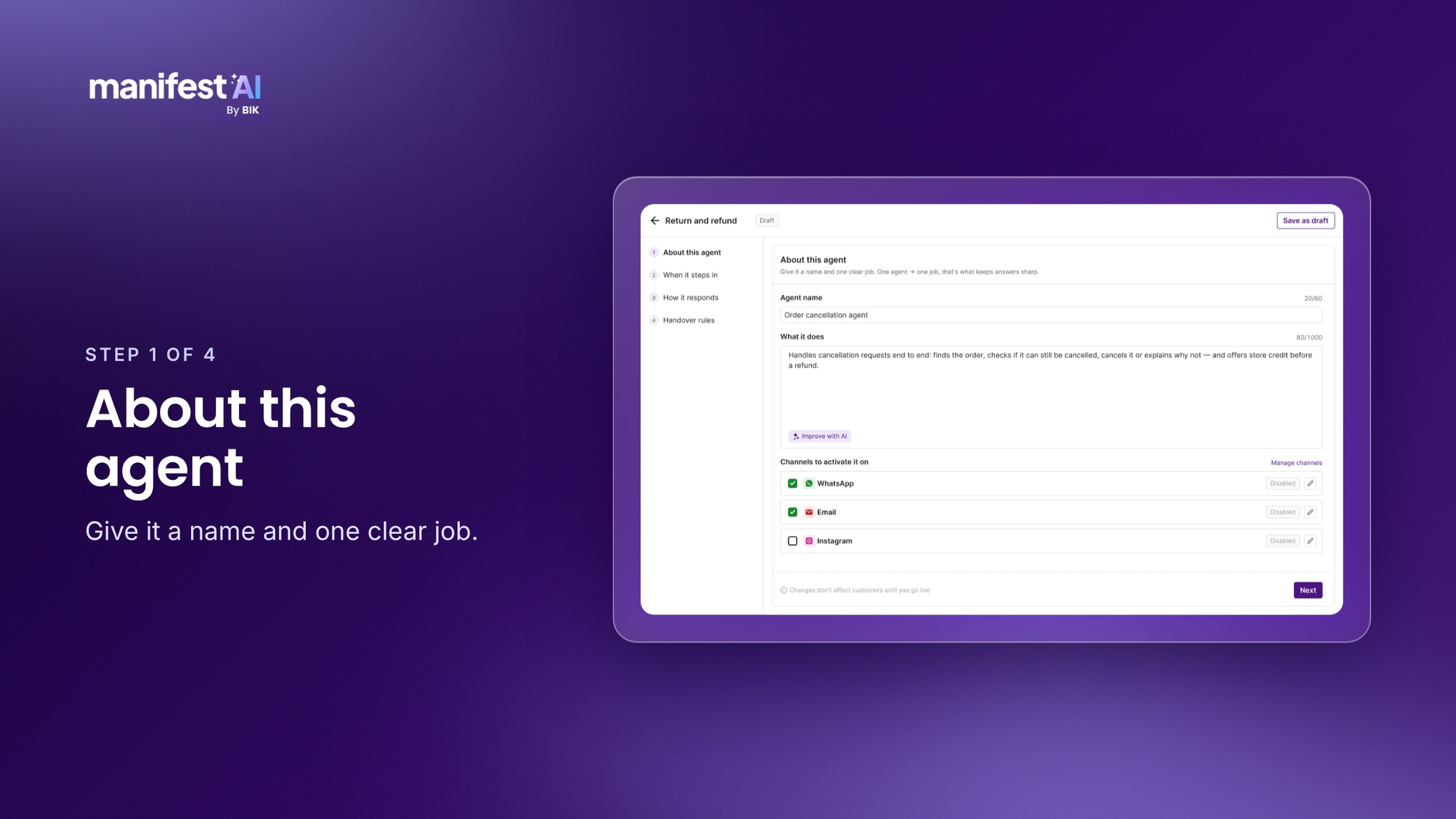
1. About this agent
Give the agent a name and one job. "Help shoppers find a gift" works. "Handle customer service" is too wide to test. A narrow job is easier to get right, and you can always build a second agent.
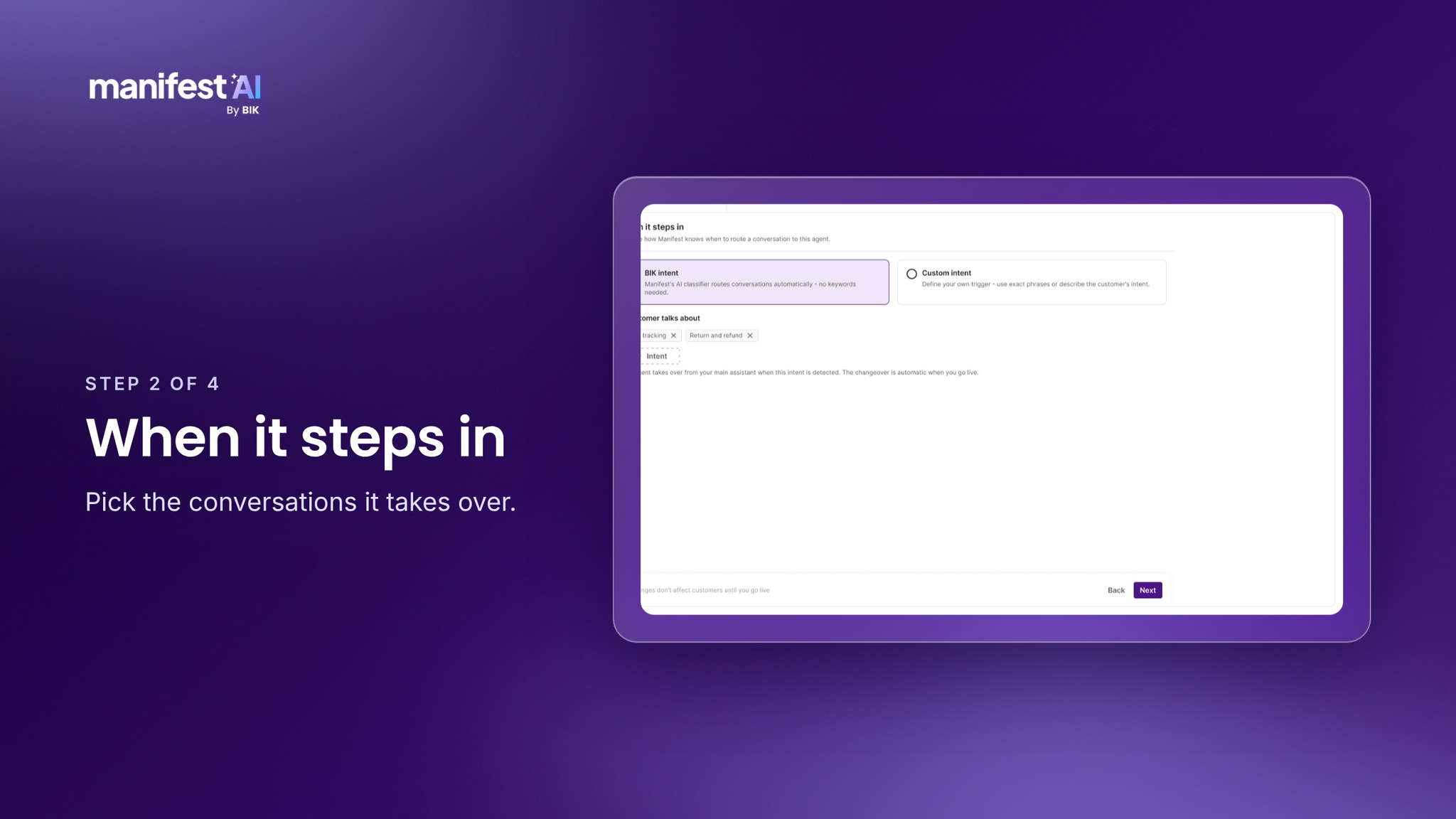
2. When it steps in
Pick the moment the agent acts. A shopper asks for gift ideas. A shopper asks where an order is. A shopper asks to cancel. The agent acts on the moments you choose and leaves the rest to your team.
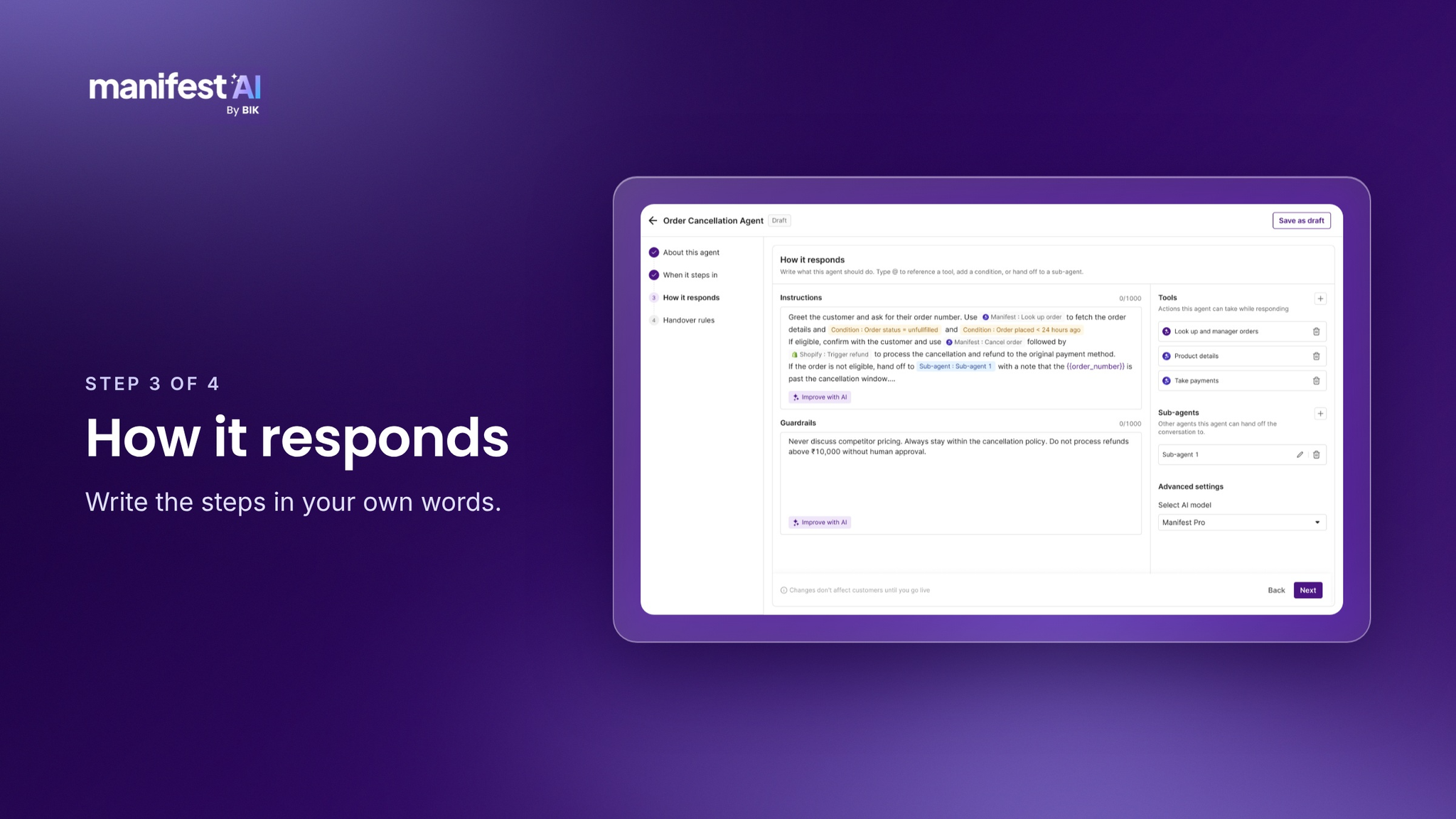
3. How it responds
This is where you write the work. Brief the agent the way you'd brief a new hire: ask who the gift is for and the budget, search the catalog, suggest 3 products that are in stock.
Type @ to pull a tool from the library. Search products, Check stock and Pull reviews are there for agents that help before the order. Track shipment is there for agents that help after it. If you use a system we don't list, connect it over a REST API. When part of the job is its own task, hand it to a sub-agent.
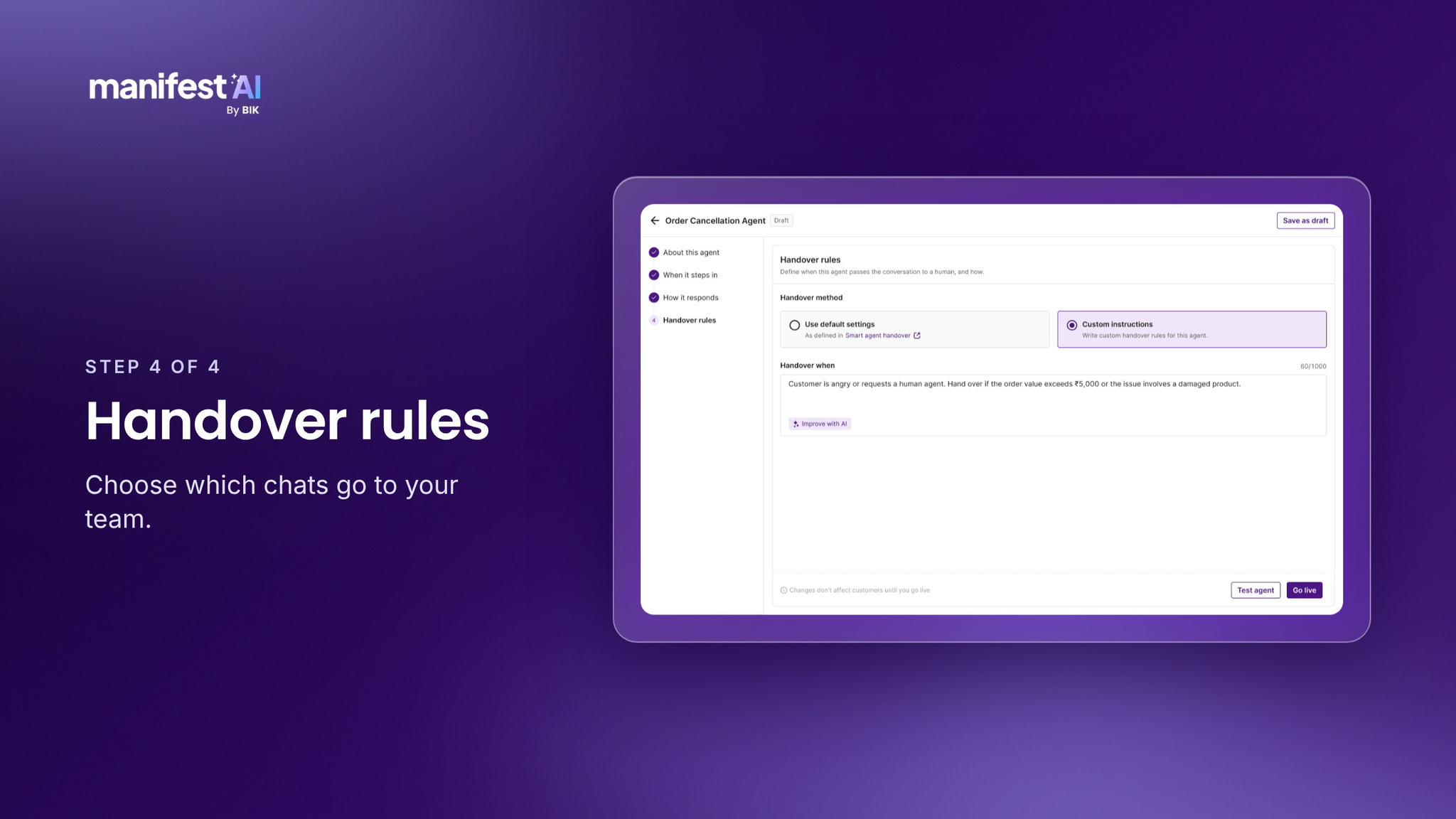
4. Handover rules
Decide which conversations go to your team. Angry customers, high-value orders, refunds above a limit you set. The agent finishes everything else.
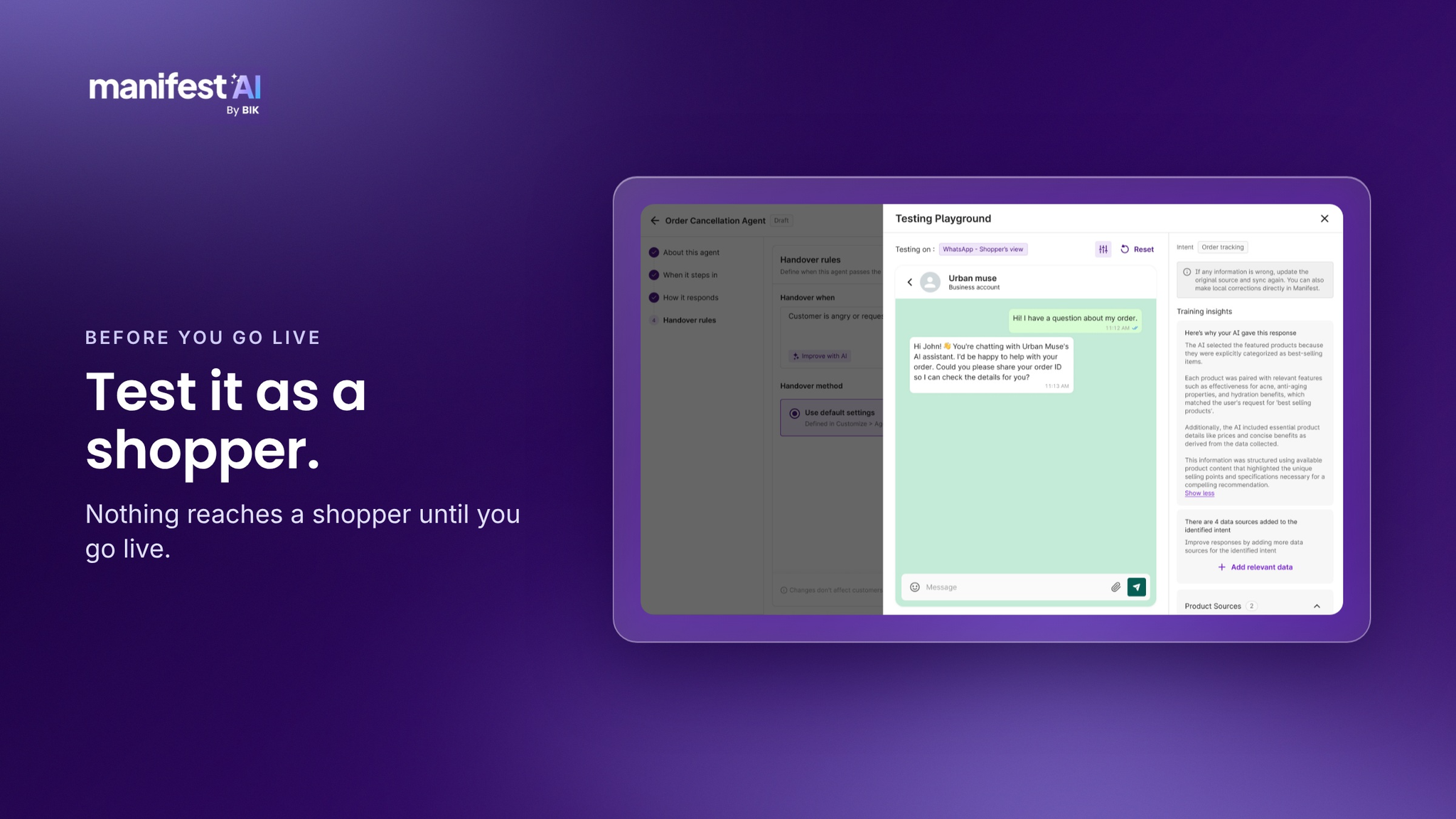
Test it, then go live
Run the agent on real shopper messages first. Nothing reaches a shopper until you go live, and you can pause the agent at any time.

Tools and sub-agents
Tools are what let an agent do work, so they come first. The library covers the common jobs: searching products, checking stock, pulling reviews, tracking a shipment. Your own systems connect over a REST API.
Sub-agents handle the parts of a job that are a task of their own. A returns agent can send the shipment lookup to a sub-agent and carry on with the answer. You decide which sub-agents an agent can call.
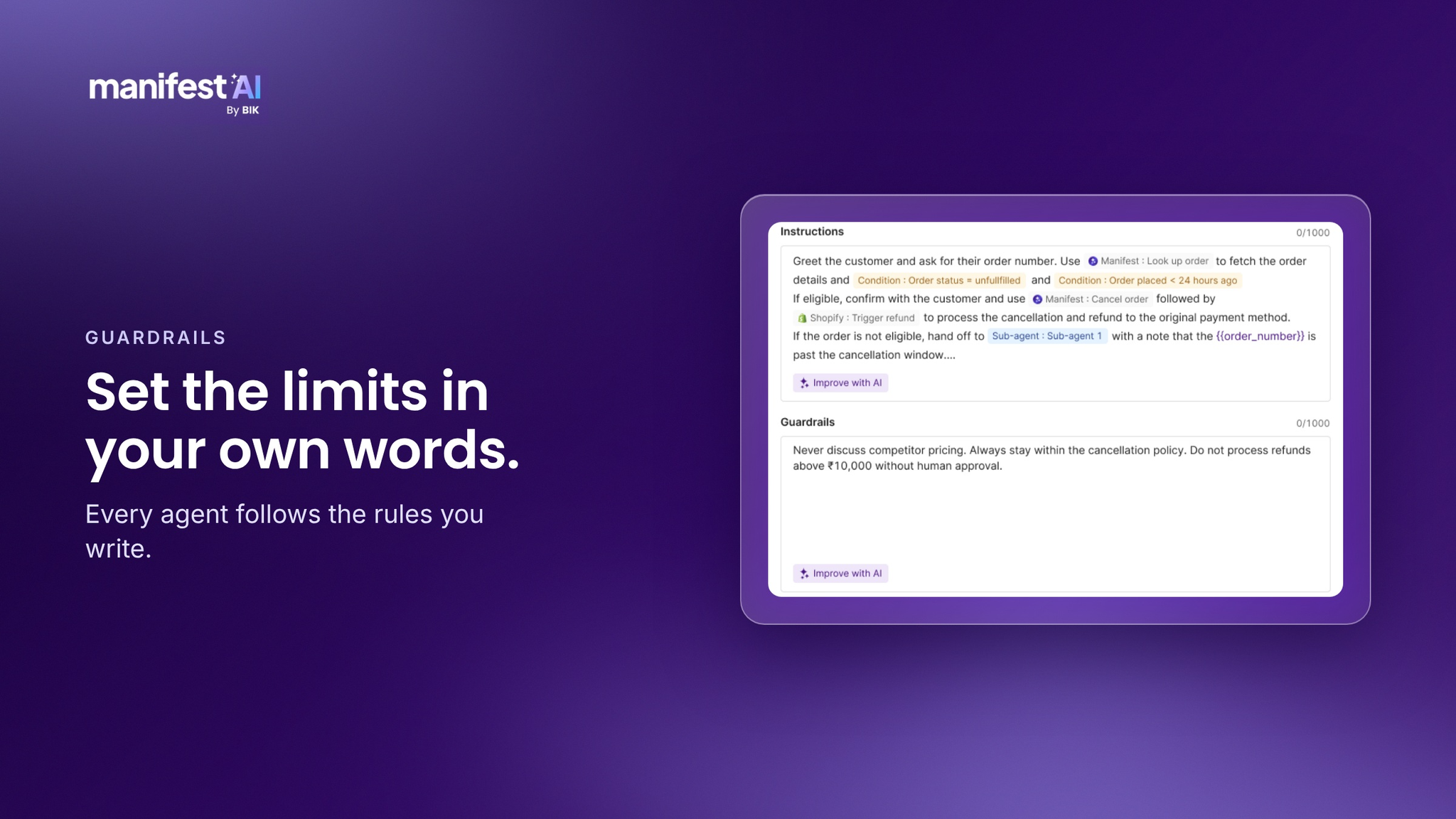
Guardrails
Every agent follows the rules you write. "Never offer a discount that isn't live on the site." "Refunds over $500 go to a person." Use your own numbers and your own policies. You see how the agent applies them in the test, before a shopper does.
Where it runs
Build the agent once and it runs on your storefront, Instagram, WhatsApp and email. The rules and the handover stay the same on each channel.
Artifacts
Some jobs need more than a message. Picking a size. Choosing which order to return. Pausing a subscription.
With Artifacts, your agent builds an interactive screen for the job, right on your storefront. You describe the flow in a prompt, and the screen comes out in your brand's own look. A shopper can find a product, start a return or skip a subscription box without leaving the page.

What you can build
Here are six agents, with a way you could set up each one. They are examples to start from.
| Agent | When it steps in | Tools it calls | Hands over when |
|---|---|---|---|
| Gift finder | A shopper asks for gift ideas | Search products, Check stock, Pull reviews | The request is outside your catalog |
| Product recommendation | A shopper is comparing products | Search products, Pull reviews | The shopper asks about a bulk or custom order |
| Size and fit | A shopper asks which size to pick | Search products, Pull reviews | The shopper wants advice on a fit issue after buying |
| Order tracking | A shopper asks where their order is | Track shipment | The shipment is marked late or lost |
| Cancellation | A shopper asks to cancel | Look up order, Cancel order | The order has already shipped |
| Returns and refunds | A shopper asks to return an item | Look up order, Refund order | The refund is above your limit |
Your first agent
Pick one job and run it through 3 checks.
- It repeats. Your team does it every day.
- It has a right answer. You can say what a good reply looks like.
- It has a clear edge. You know when a person should take over.
We'd start with order tracking. It repeats all day, the right answer is in the shipment data, and the handover is easy to define. But the best first agent is the one your team is most tired of doing.
Once you have the job, fill in the brief. It is the same four steps, on one page.
Job:
Moment it steps in:
Steps it follows:
Tools it calls:
Hands over when:
Here is one filled in.
Job: Tell shoppers where their order is.
Moment it steps in: A shopper asks about an order.
Steps it follows: Ask for the order number. Look up the shipment. Share the status and the delivery date.
Tools it calls: Track shipment.
Hands over when: The shipment is late or lost.
Questions people ask
Do I need a developer? You write the steps in your own words, and the tool library covers the common jobs. If you'd like a hand with the first build, we'll do it with you on a call.
What if the agent says something wrong? You set the rules it follows, you choose which chats go to your team, and you test it before it goes live. You can pause it at any time.
Which platforms does it work with? Agent Builder has 30+ integrations ready to use, and you can bring your own over a REST API.
Can it process refunds? Yes, within a guardrail you set. Anything outside it goes to a person.
What does it cost? Talk to us and we'll walk you through it.
Get started
Bring the job you'd hand over first, and we'll help you build the agent on a 30-minute call. Bring your own store and your own job.