.png)
BIK Product Update May'26
Welcome back to BIK – News, your monthly product update.
This month we shipped five features that cut the manual work out of campaigns, helpdesk, and everything in between. Your agents move faster. Your campaigns don't stop. Your AI learns your language.
Let's dive in 👇
Fallback AI for WhatsApp Campaigns
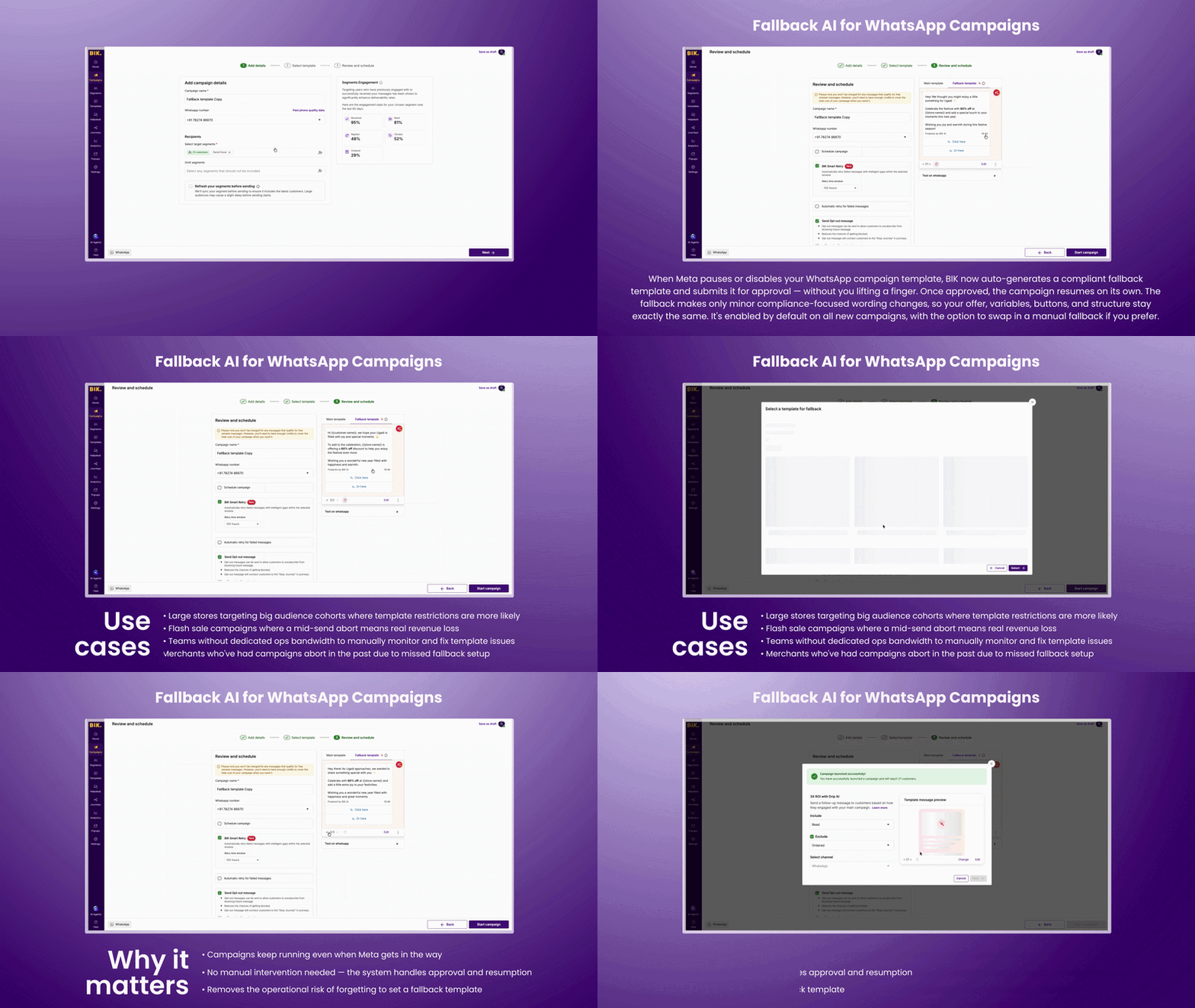
When Meta pauses or disables your WhatsApp campaign template, BIK now auto-generates a compliant fallback template and submits it for approval — without you lifting a finger. Once approved, the campaign resumes on its own. The fallback makes only minor compliance-focused wording changes, so your offer, variables, buttons, and structure stay exactly the same. It's enabled by default on all new campaigns, with the option to swap in a manual fallback if you prefer.
Use cases:
- Large stores targeting big audience cohorts where template restrictions are more likely
- Flash sale campaigns where a mid-send abort means real revenue loss
- Teams without dedicated ops bandwidth to manually monitor and fix template issues
- Merchants who've had campaigns abort in the past due to missed fallback setup
Why it matters:
- Campaigns keep running even when Meta gets in the way
- No manual intervention needed — the system handles approval and resumption
- Removes the operational risk of forgetting to set a fallback template
AI in WhatsApp Template Creation
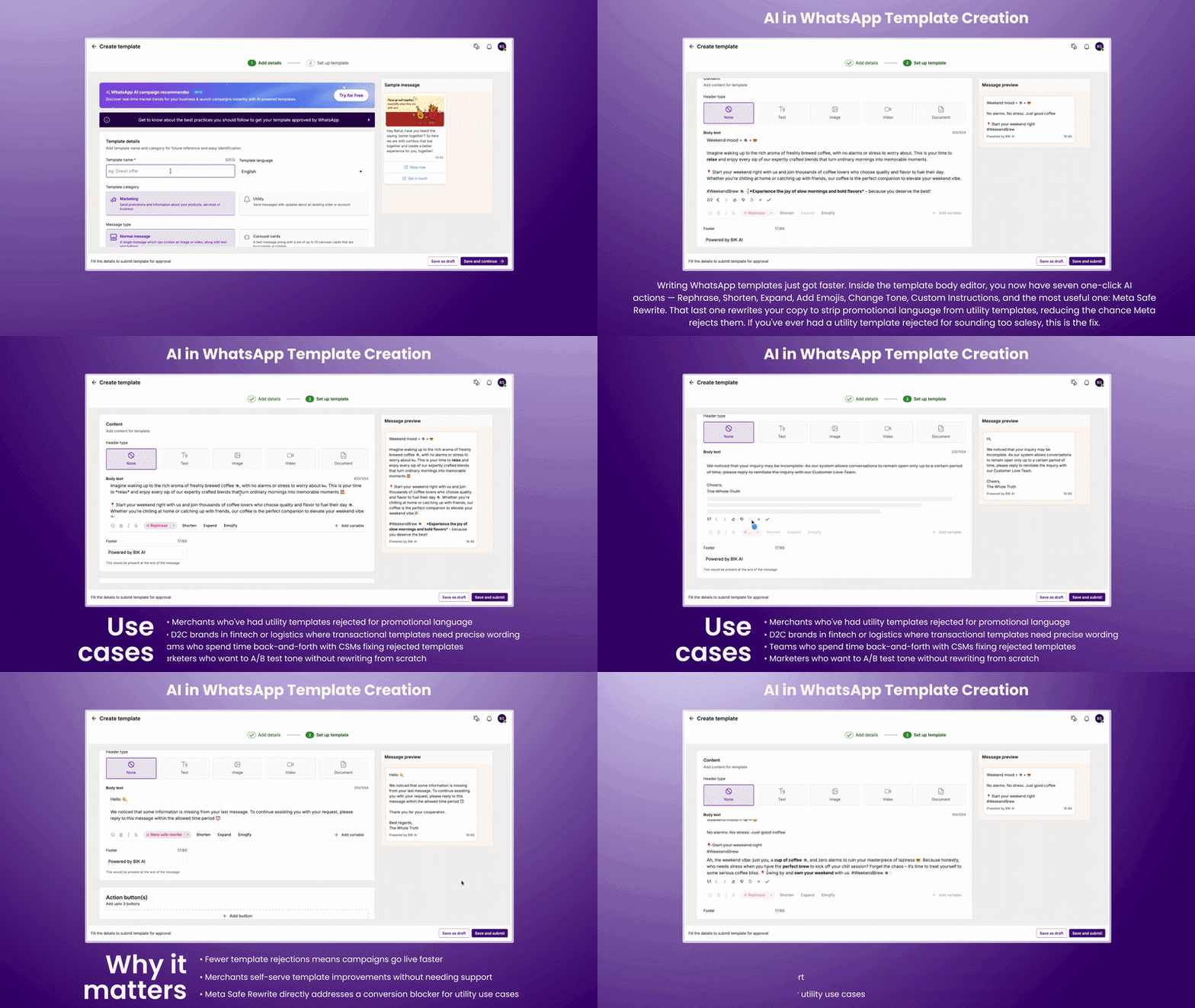
Writing WhatsApp templates just got faster. Inside the template body editor, you now have seven one-click AI actions — Rephrase, Shorten, Expand, Add Emojis, Change Tone, Custom Instructions, and the most useful one: Meta Safe Rewrite. That last one rewrites your copy to strip promotional language from utility templates, reducing the chance Meta rejects them. If you've ever had a utility template rejected for sounding too salesy, this is the fix.
Use cases:
- Merchants who've had utility templates rejected for promotional language
- D2C brands in fintech or logistics where transactional templates need precise wording
- Teams who spend time back-and-forth with CSMs fixing rejected templates
- Marketers who want to A/B test tone without rewriting from scratch
Why it matters:
- Fewer template rejections means campaigns go live faster
- Merchants self-serve template improvements without needing support
- Meta Safe Rewrite directly addresses a conversion blocker for utility use cases
Sleek Product Card UX
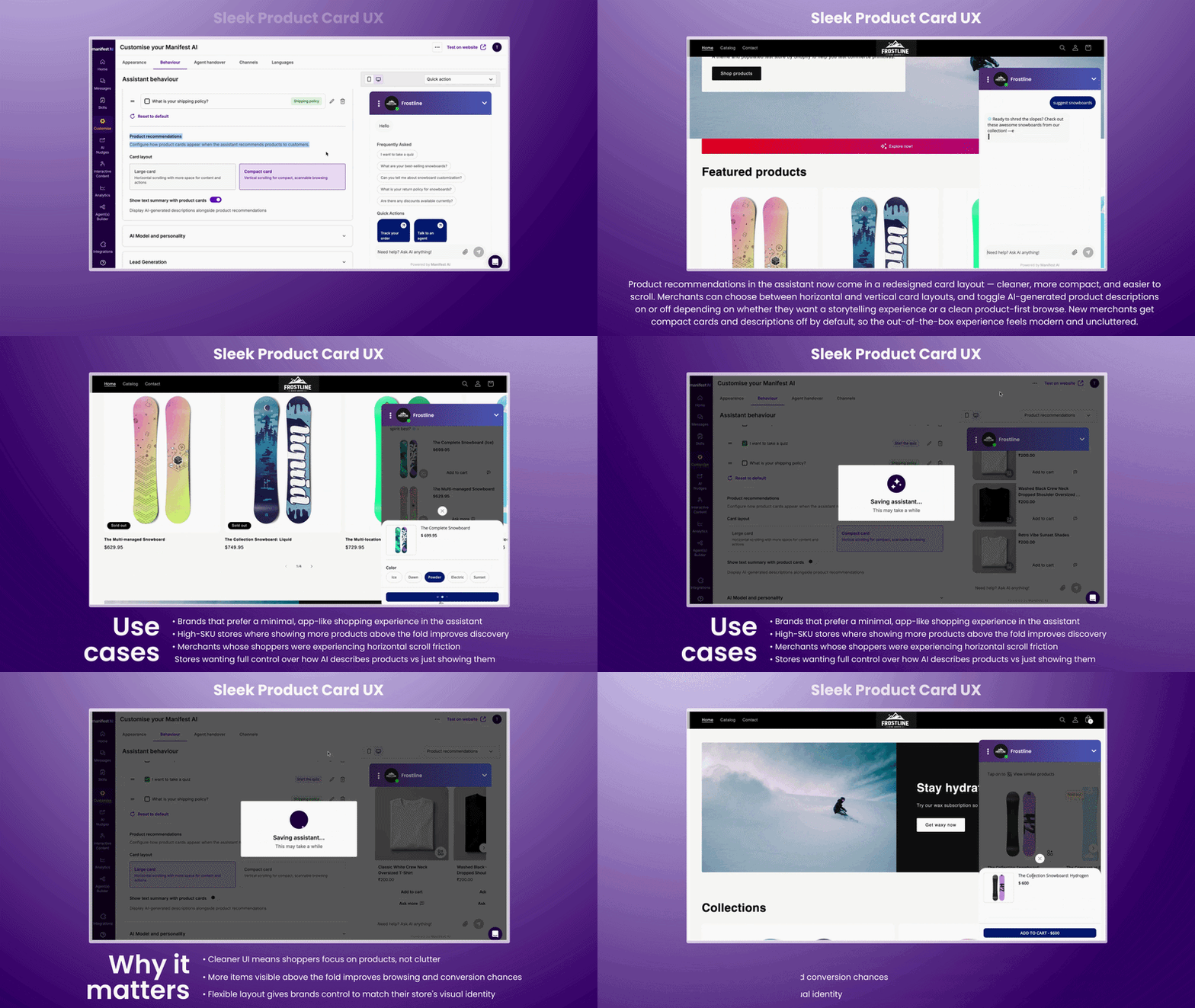
Product recommendations in the assistant now come in a redesigned card layout — cleaner, more compact, and easier to scroll through. Merchants can choose between horizontal and vertical card layouts, and toggle AI-generated product descriptions on or off depending on whether they want a storytelling experience or a clean product-first browse. New merchants get compact cards and descriptions off by default, so the out-of-the-box experience feels modern and uncluttered from day one.
Use cases:
- Brands that prefer a minimal, app-like shopping experience in the assistant
- High-SKU stores where showing more products above the fold improves discovery
- Merchants whose shoppers were experiencing horizontal scroll friction
- Stores wanting full control over how AI describes products vs just showing them
Why it matters:
- Cleaner UI means shoppers focus on products, not clutter
- More items visible above the fold improves browsing and conversion chances
- Flexible layout gives brands control to match their store's visual identity
Review Summary Management
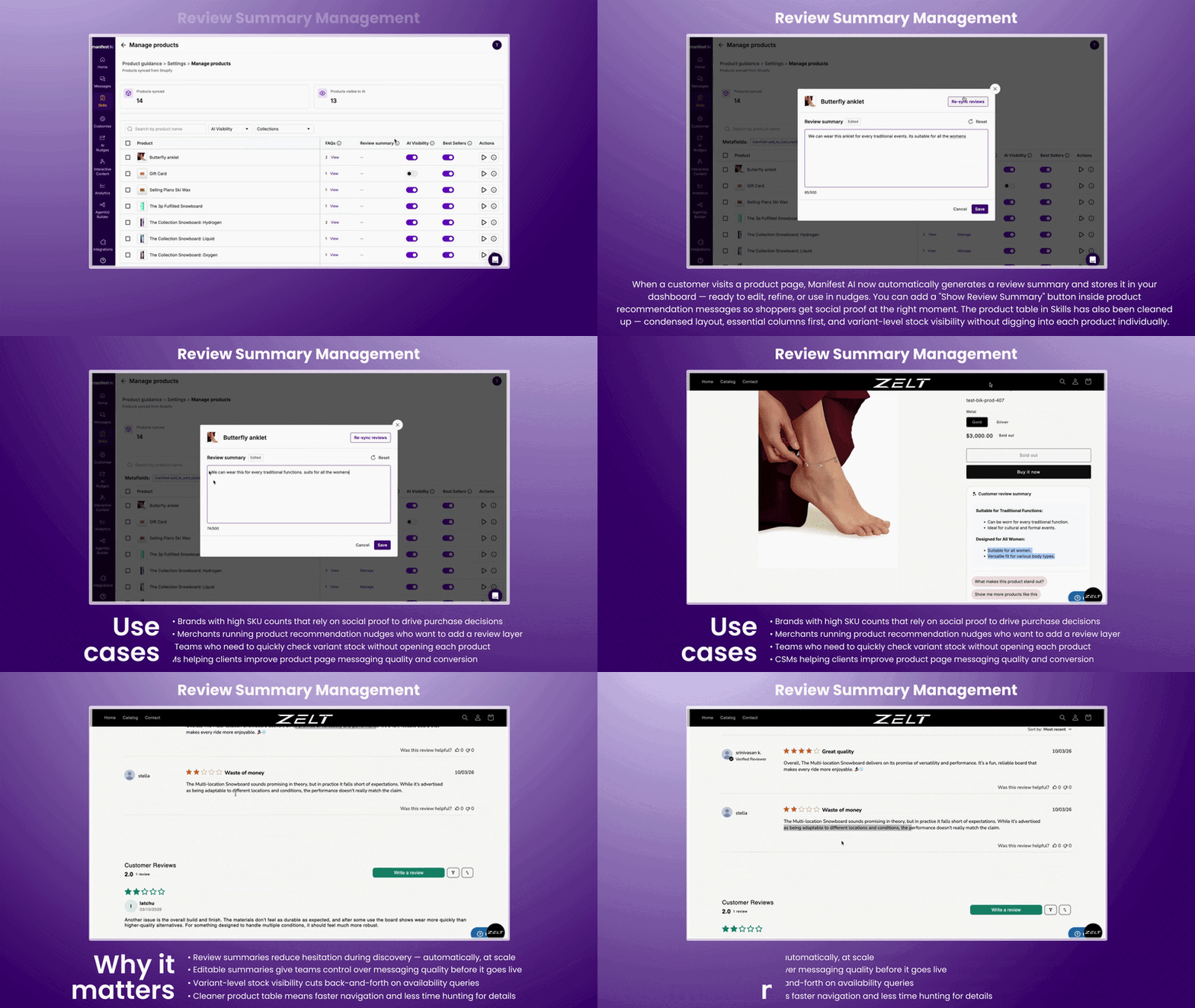
When a customer visits a product page, Manifest AI now automatically generates a review summary and stores it in your dashboard — ready to edit, refine, or use in nudges. You can add a "Show Review Summary" button inside product recommendation messages so shoppers get social proof at exactly the right moment. The product table in Skills has also been cleaned up — condensed layout, essential columns first, and variant-level stock visibility without having to dig into each product individually.
Use cases:
- Brands with high SKU counts that rely on social proof to drive purchase decisions
- Merchants running product recommendation nudges who want to add a review layer
- Teams who need to quickly check variant stock without opening each product
- CSMs helping clients improve product page messaging quality and conversion
Why it matters:
- Review summaries reduce hesitation during discovery — automatically, at scale
- Editable summaries give teams control over messaging quality before it goes live
- Variant-level stock visibility cuts back-and-forth on availability queries
- Cleaner product table means faster navigation and less time hunting for details
More Launches This Month
Here are the best ones:
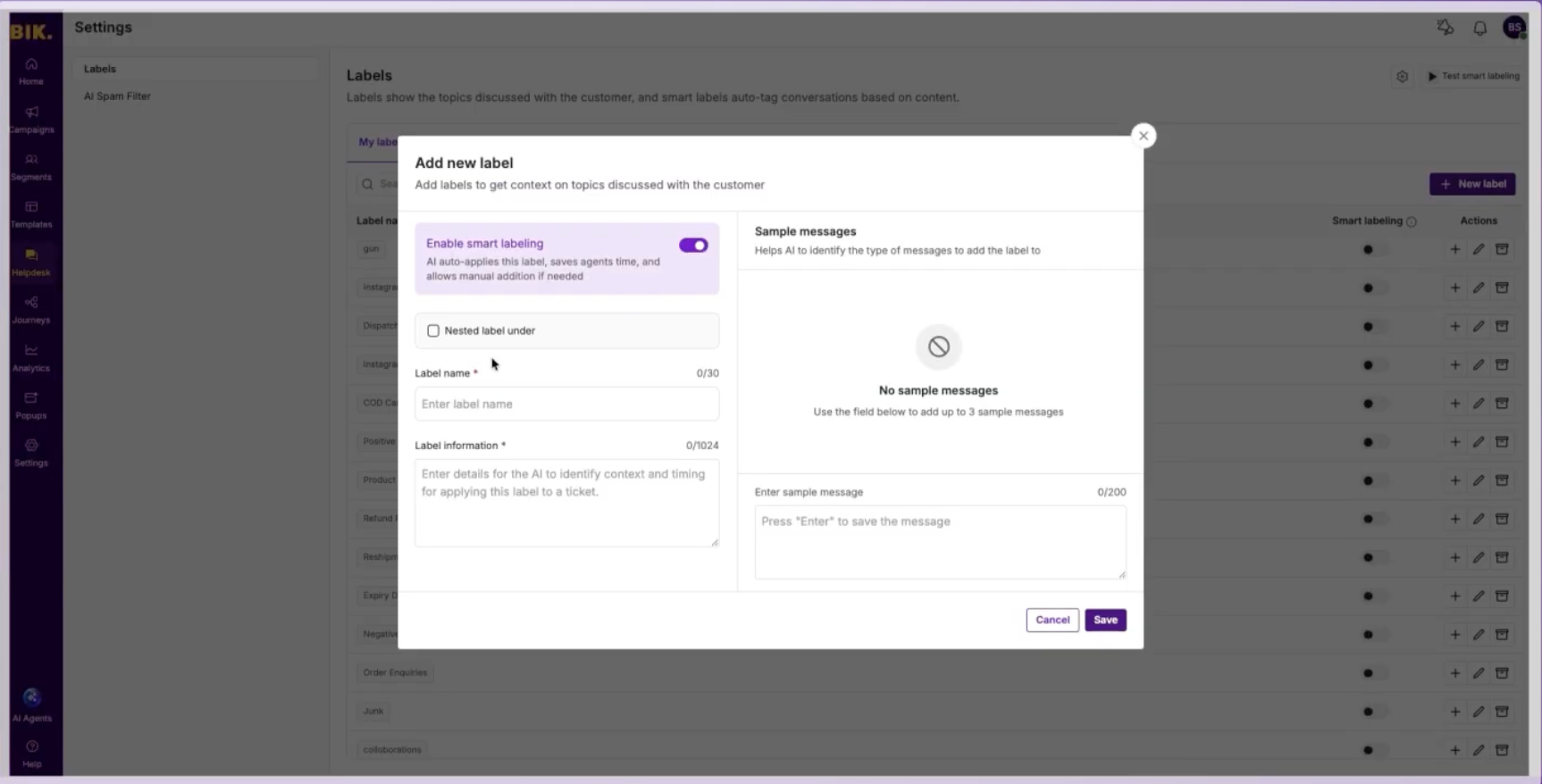
Improved AI Labelling - Your categories. Your language. AI learns it.
AI auto-labelling now works with labels you create, not just pre-built ones. Define a label name, write a description, add up to 10 sample messages and the AI learns to detect it automatically across incoming tickets. Before you go live, test mode shows you a confidence score and the AI's reasoning so you know exactly what it'll catch.
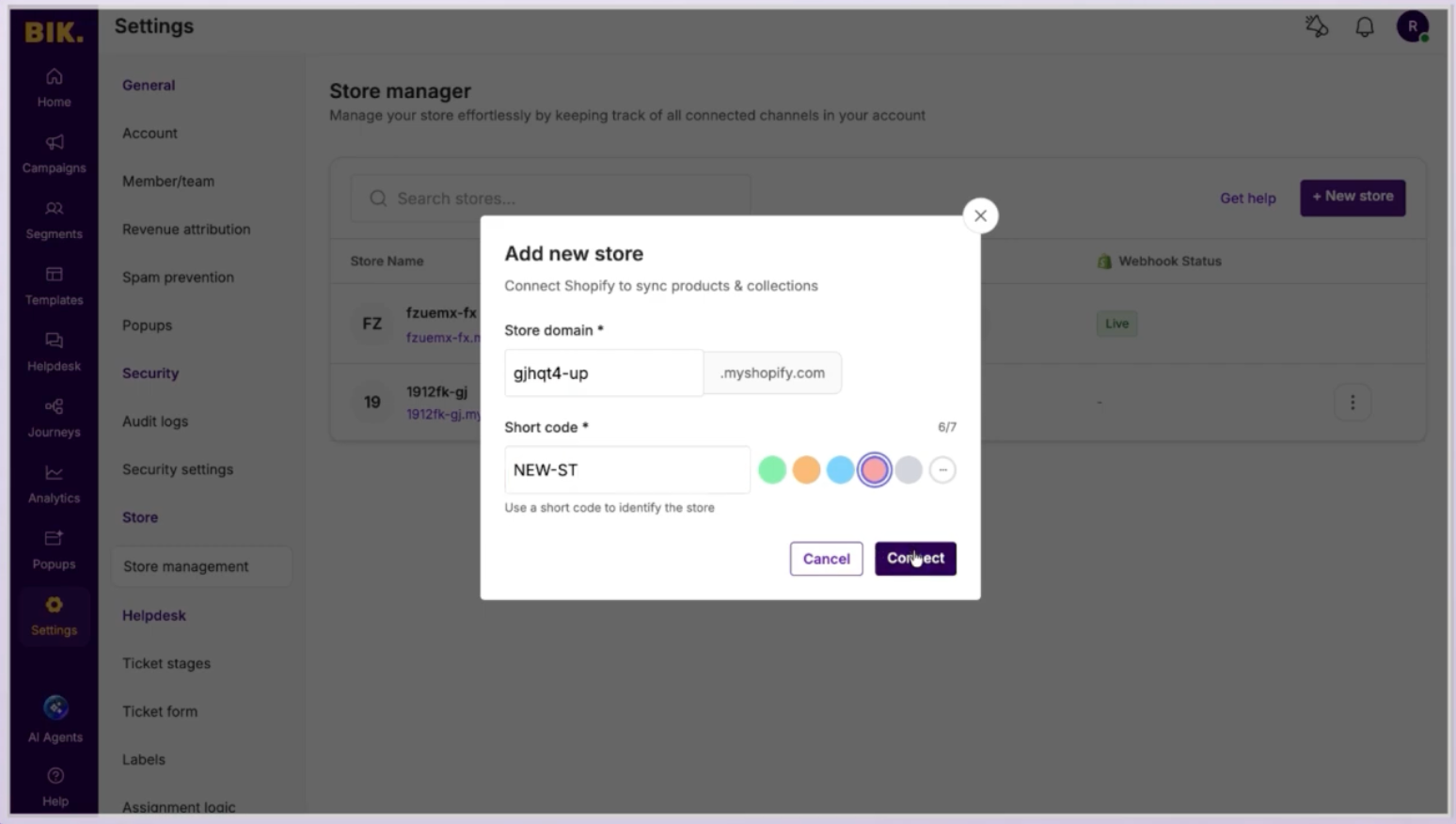
Multi-Store Support - All your stores. One helpdesk.
If you're running multiple stores across different regions, D2C and wholesale, or separate brand lines, you no longer need separate BIK accounts for each. Add all stores under one account, assign colour-coded short codes so agents always know which store a ticket is coming from, and wire up independent channels per store. One helpdesk, one login, zero confusion. Store-level analytics mean you can benchmark performance across stores without switching dashboards.
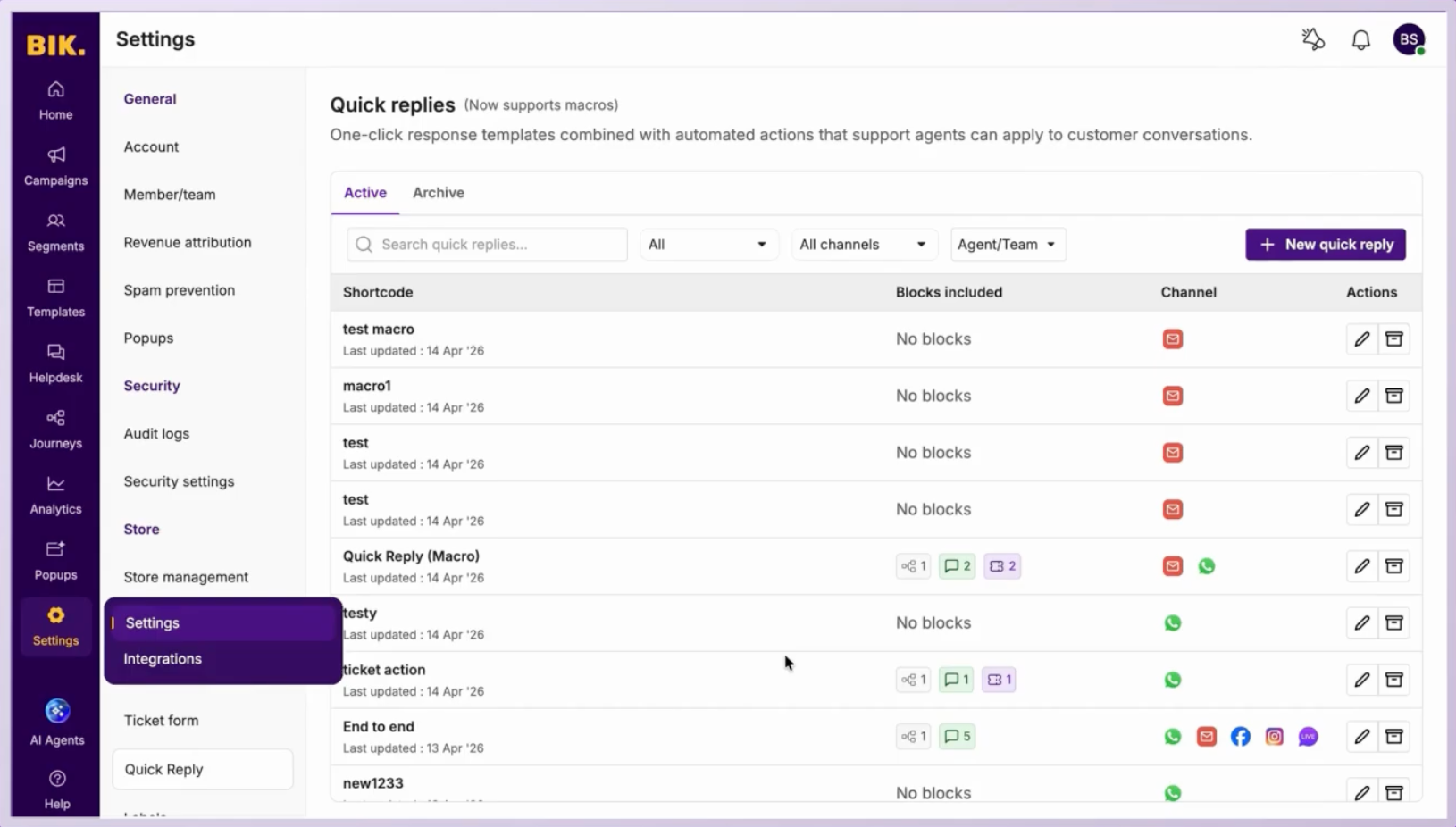
Quick Reply powered by Macros - Five steps. Now one click.
Agents can now bundle a customer reply, a ticket status update, a priority change, a label, an assignment, and a snooze, all into a single macro that runs with one click. No more doing the same five steps on every refund ticket or order query. Variables like customer name, order ID, and tracking URL resolve automatically. If something can't resolve, the macro blocks instead of sending a broken message. Every run is logged in the ticket timeline so nothing gets missed.
👋 That’s a wrap
You made it to the end - you’re now 5x more AI-savvy than you were 5 minutes ago. Got feedback? Send us an email at support@bik.ai, we read every single message.
Until next time,
BIK Team