
Why WhatsApp Marketing Messages Fail (and How to Fix Each Error)
What WhatsApp errors 131049, 131026, 131050, 132015 and others mean, why marketing messages are not delivered, whether bulk sends get numbers banned, Meta's opt-in rules, and how to fix each failure.
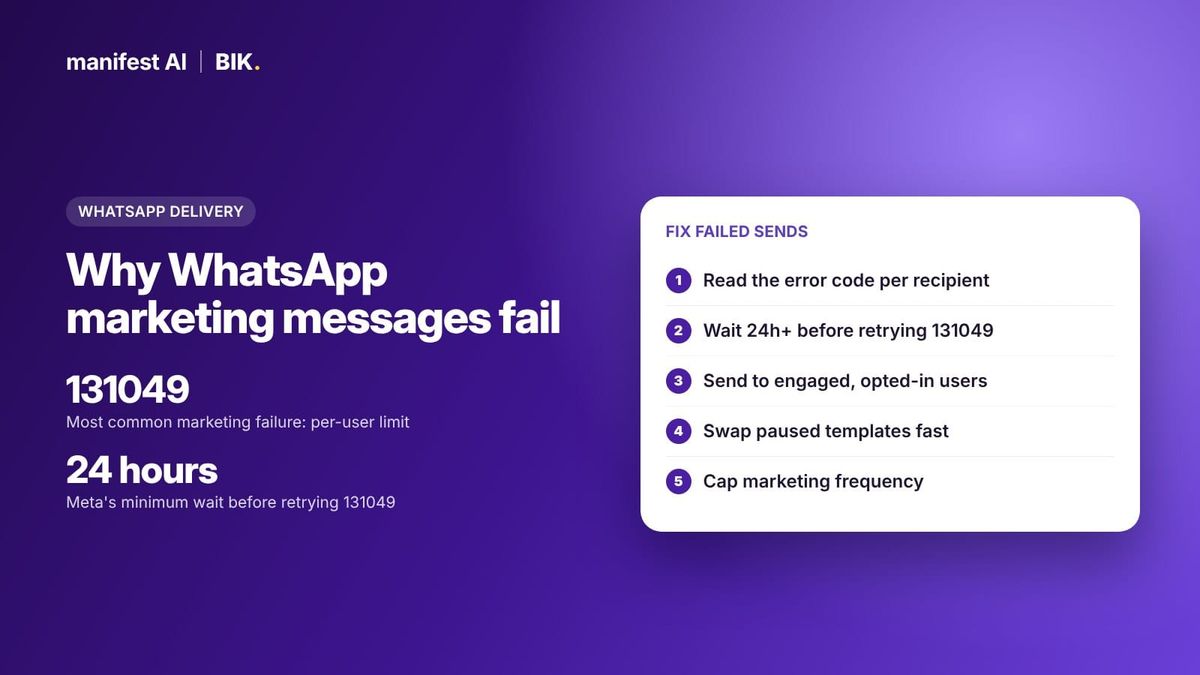
Short answer: Most WhatsApp marketing messages that are not delivered fail for one of five reasons: Meta's per-user marketing limit (error 131049), a recipient who cannot receive the message (131026), a recipient who opted out of marketing (131050), a paused or disabled template (132015, 132016), or a business account that hit its messaging limit or was restricted. Each has a specific fix. BIK retries limit-hit messages automatically with Smart Retry and swaps in a compliant backup template with Fallback AI.

WhatsApp is the highest-engagement channel many ecommerce brands have, which is exactly why Meta protects it so closely. Every failed message comes back with an error code in the status webhook, and that code tells you whether to wait, fix the template, clean the list or stop sending to that person. This guide decodes the codes that matter for marketing campaigns and answers the question every growth team asks before a big sale: will bulk WhatsApp marketing get my number banned?
How to find out why a WhatsApp message was not delivered
When you send a template through the WhatsApp Cloud API, Meta reports back through status webhooks: sent, delivered, read, or failed. A failed status carries an error code and a short description. Your provider's campaign report should show these codes per recipient. If it only shows "failed" with no reason, ask for the raw code, because the fix depends entirely on it.
Two things are worth knowing before you start debugging:
- You are not charged for failed messages. Meta bills per delivered template message, so a message blocked by a limit does not cost you the Meta fee.
- Some failures are about one person, others are about your whole account. Error 131049 affects one recipient at a time. A paused template or an account restriction stops the whole campaign. Triage the account-level problems first.
WhatsApp marketing error codes: causes and fixes
These are the codes ecommerce brands hit most often on marketing campaigns. The descriptions follow Meta's Cloud API error code reference; the fixes combine Meta's guidance with what works in practice.
| Code | What Meta says | Usual cause | Fix |
|---|---|---|---|
| 131049 | Not delivered "to maintain healthy ecosystem engagement" | Recipient hit the per-user marketing limit | Wait at least 24 hours, then retry. Target engaged users first |
| 131026 | Message undeliverable | Number not on WhatsApp, user has not accepted latest terms, or outdated app | Confirm the number, then reach the person by SMS or email |
| 131050 | User stopped marketing messages from your business | Recipient used WhatsApp's option to stop your marketing | Stop retrying. Track opt-outs with the user_preferences webhook |
| 130403 | User has blocked the business | Recipient blocked your number | Do not retry. Remove from WhatsApp marketing segments |
| 131047 | More than 24 hours since the user last replied | A free-form message was sent outside the customer service window | Send an approved template instead |
| 131048 | Restrictions on how many messages this number can send | Quality or limit problem on the number | Check quality status and template quality in WhatsApp Manager |
| 131056 | Too many messages to the same recipient in a short period | Bursts to one person, often from overlapping journeys | Wait before retrying that recipient; add frequency caps |
| 132015 | Template paused due to low quality | Recipients blocked, reported or ignored the template | Use a different template; edit and resubmit this one |
| 132016 | Template paused too many times and permanently disabled | Third low-quality pause | Create a new template with different content |
| 132000 / 132012 | Parameter count or format mismatch | Missing variable values, such as an empty first name | Send a value for every variable; add fallbacks for blanks |
| 132001 | Template does not exist in that language or is not approved | Wrong template name or locale, or still in review | Check approval status and the exact language code |
| 131064 | Messaging limit reached due to template classification violations | Marketing content sent as utility too often | Fix template categories; wait out the enforcement period |
| 131031 / 368 | Account restricted or disabled for a policy violation | Spam, misclassification or prohibited products | Review the violation in Business Support Home and appeal |
| 131042 | Payment method error | No valid payment method or credit line problem | Fix billing with your provider or in Meta Business Suite |
A newer code is worth knowing too. Since April 2026, businesses can switch off marketing sends through the Cloud API and use Meta's Marketing Messages API for WhatsApp instead. If that switch is on, marketing templates sent through the regular messages endpoint fail with error 131063.
Selling on WhatsApp? Manifest AI and BIK turn WhatsApp conversations into orders, with AI agents that answer questions, recommend products and recover carts.
Error 131049: the per-user marketing limit explained
Error 131049 is the most common reason a WhatsApp marketing message is "not delivered," and it is the most misunderstood. It is not a ban and it is not a problem with your number. Meta's documentation describes a cap on how many marketing template messages a single WhatsApp user receives from all businesses over a period, applied to people who are less likely to engage.
What Meta says about how it works:
- There is no fixed number. The limit adapts to each user, based on their recent marketing read rate and how many messages they receive from friends, family and businesses.
- Replies reset the picture. If a user replies to a marketing message, a 24-hour customer service window opens, and marketing messages sent inside that window do not count toward the limit.
- Some regions are exempt for now. The limit does not currently apply to messages from business numbers in, or to users in, the European Economic Area, the United Kingdom, Japan or South Korea.
- Retrying too fast makes it worse. Meta advises waiting at least 24 hours before resending to a user who hit the limit. Repeated resends inside 24 hours can block further attempts to that user for up to 24 hours.
In practice, 131049 rates climb when you blast your full list, including people who have not opened a WhatsApp message in months. They fall when you send to engaged segments. BIK's own delivery guidance makes the same point: targeting users who recently read, clicked or replied lowers the error and lifts delivery.
How to reduce 131049 failures
- Segment by engagement. Send big promotions first to people who read or clicked a WhatsApp message recently. Move cold contacts to email or SMS.
- Retry on a schedule, not instantly. Use a retry window long enough for attempts after the 24-hour mark. For most promotions, 48 hours or more works better than a few hours.
- Give people a reason to reply. Quick reply buttons ("Show me the offer", "Not now") start conversations. Replies open a service window where follow-ups do not count toward the limit.
- Cap your own frequency. If customers get three promotions from you in a day, they read fewer of them, which feeds the limit.
Why marketing messages to US numbers fail
If your list includes US customers, expect every marketing template to them to fail. Meta's per-user limits page states that WhatsApp does not currently deliver marketing template messages to users with US phone numbers (+1 with a US area code). The pause began on 1 April 2025, and as of October 2026 Meta has not published a date for lifting it. Utility and authentication templates, such as order and shipping updates, still go through. For US shoppers, use email, SMS or Click-to-WhatsApp ads, where the customer messages you first.
Will bulk WhatsApp marketing get my number banned?
Sending bulk marketing through the official WhatsApp Business Platform does not get a number banned by itself. Meta built the platform for exactly that. What gets accounts restricted is how people react to what you send, and whether you follow the policies. Meta's policy enforcement documentation lists the escalation:
| Enforcement | What it blocks |
|---|---|
| Warning | Nothing yet; names the policy you broke |
| 1 or 3 day restriction | Marketing, utility and authentication templates, and adding phone numbers |
| 5, 7 or 30 day restriction | Sending any messages, and adding phone numbers |
| Account lock | All messages, indefinitely, until a successful appeal |
| Disabled | Permanent removal after repeated warnings and restrictions |
The triggers Meta names include spam, template misclassification, high-risk product categories (for example alcohol, tobacco, gambling and unsafe supplements) and excessive negative user feedback. Severe violations, such as scams, lead to immediate offboarding.
Two other mechanisms protect the ecosystem before enforcement kicks in. Templates that collect blocks, reports or low read rates get a low quality rating and are paused for 3 hours, then 6 hours, then disabled on the third occurrence. And every business portfolio has a daily messaging limit on how many unique people it can message outside a customer service window, starting at 250. Since October 2025, a drop in quality no longer lowers that limit, but low-quality messaging stops it from growing. Our guide to messaging limits and quality rating covers tiers, warm-up and recovery in detail.
The real ban risk is unofficial tools that automate the regular WhatsApp app instead of using the Business Platform through a Meta partner.
Opt-ins: the rule that prevents most failures
Meta requires opt-in before you message anyone on WhatsApp. Its opt-in documentation sets out the requirements:
- You must have the person's number, and they must have agreed to receive messages from your business.
- The opt-in must clearly state that the person agrees to receive messages, and must clearly name your business.
- You can collect it anywhere, including your website, checkout, SMS, an IVR call or in store, as long as it meets local law.
Meta also recommends saying which kinds of messages people will get, considering separate opt-ins per category, and making opt-out easy. Contacts who never agreed to hear from you are the ones who block and report, and blocks and reports drive template pauses and quality drops.
Handle opt-outs properly too. When a user turns off marketing from your business inside WhatsApp, further sends fail with 131050. Add a "Stop" quick reply to promotional templates and remove anyone who taps it from WhatsApp marketing segments the same day.
See what your brand could automate. Our team builds the agents for you, and most brands are live in about 2 weeks.
WhatsApp marketing templates that get approved, and keep working
Approval is the first hurdle; staying active is the second. Meta reviews templates within 24 hours and rejects them for formatting problems (variables at the start or end, non-sequential numbering, too many variables for the length), duplicate wording, requests for sensitive data, threatening language or Commerce Policy violations. Templates that mix an order update with a promotion are classed as marketing, not utility.
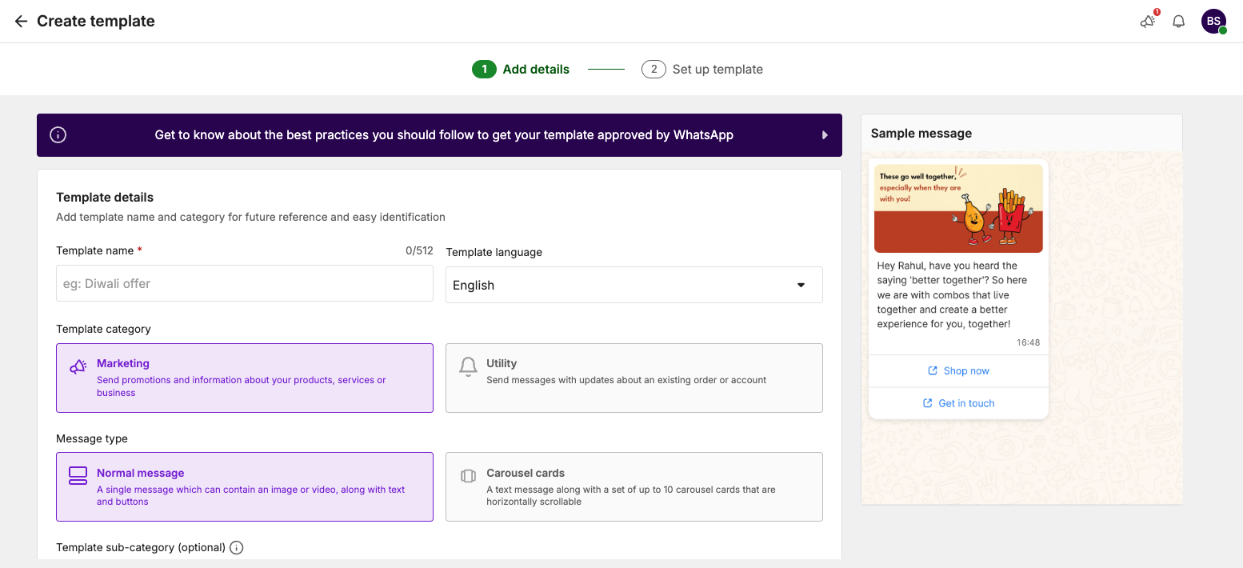
Templates that stay active share a few traits: a clear reason the customer is getting the message, one offer, a recognisable brand name, a useful button, and a visible way to opt out. Our guide to template rejections and categories has labelled examples of copy that gets approved and copy that gets rejected.
How BIK reduces failed WhatsApp marketing messages
BIK is a Meta Business Solution Provider and a retention platform for ecommerce brands. These are the features that address the failures above:
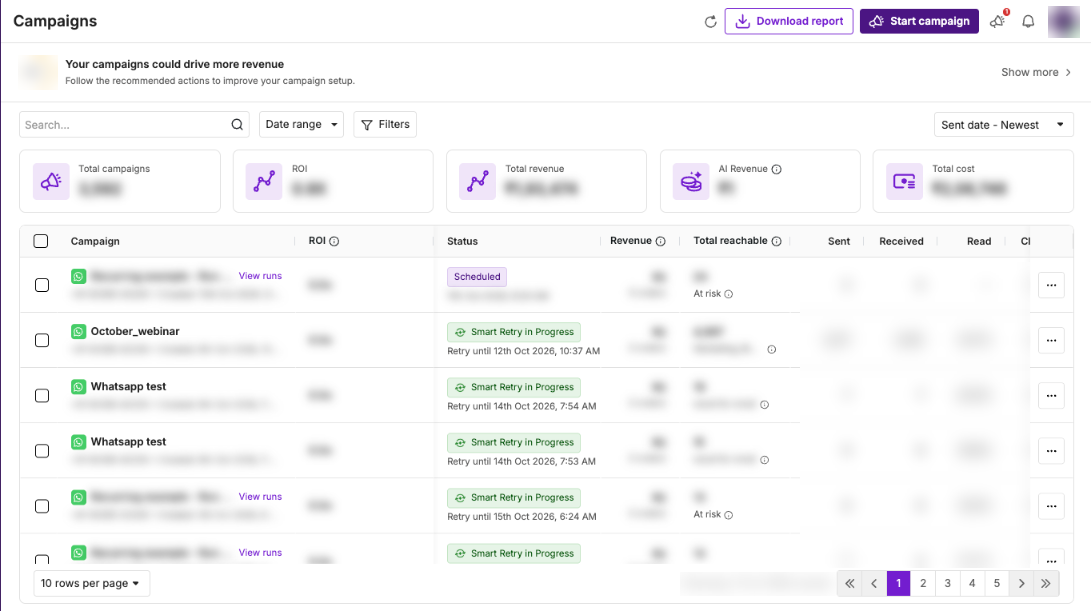
- Smart Retry. Failed campaign messages, such as those hit by per-user marketing limits, are retried automatically at widening intervals until they are delivered or the retry window you chose ends. Windows run from 2 hours to 120 hours (the default). All attempts stay inside the same campaign report, and you can cancel retries if an offer ends. For 131049 failures, pick a window of 48 hours or more so later attempts fall after Meta's 24-hour guidance.
- Fallback AI. If Meta pauses or restricts your primary template mid-campaign, BIK generates a compliant fallback version, submits it to Meta and resumes the campaign once it is approved. Offers, coupon codes, prices, variables, media and buttons stay the same; only the body wording is refined, and an opt-out button is added if missing. It is on by default and can be switched off.
- Messaging Limits (frequency caps). Set up to two rules per channel, such as one WhatsApp marketing message per 24 hours, with windows from 1 hour to 7 days. Recipients over the cap are skipped in campaigns and journeys. Transactional messages are not affected.
- Do Not Disturb. Define quiet hours. Marketing messages scheduled inside them are held and resume when the window ends, so nobody gets a promotion at midnight.
- Best Time to Send. BIK reads a segment's past opens, reads and clicks and recommends a send window, which helps read rates, and read rates feed Meta's per-user limits.
- WhatsApp Warm-up. Shows your portfolio's current messaging tier and quality, so you know before a sale whether you can reach the whole audience.
- Opt-out handling. BIK adds a "Stop" WhatsApp template to accounts by default for opt-outs.
On cost, BIK plans start at $250 per month, priced on unique contacts (100,000 contacts is $300 per month), with AI credits included, and WhatsApp messages pass through at Meta's rate card with no markup. Brands that only need WhatsApp API access can use BIK as a BSP instead: $10 per WhatsApp number per month, no platform fee, no markup. Migration from your current provider is included, and every client gets a dedicated WhatsApp group with the BIK team. See it in practice in Sleepyhead's WhatsApp contest.
When another option fits better
- Your audience is mostly in the US. Marketing templates do not reach US numbers right now, so WhatsApp marketing tools of any kind will underdeliver. An email and SMS platform is the better primary channel.
- You only need an API pipe. If your engineering team builds its own retry logic and segmentation, BIK's BSP (API-only) offering or a developer CPaaS such as Twilio may suit you better than a full retention platform.
80%+ of tickets automated, or your money back. That's the Manifest AI guarantee, written into your contract.
FAQ
Why is my WhatsApp marketing message not delivered but shows no error?
Messages can sit at "sent" when the recipient's phone is offline or they have not opened WhatsApp. Delivery updates arrive when the device connects. If a message stays undelivered and later fails, the status webhook will carry an error code such as 131049 or 131026.
What does error 131049 mean on WhatsApp?
Error 131049 means Meta withheld the marketing message to limit how many marketing messages that user receives. It is per recipient, not a penalty on your number. Wait at least 24 hours before retrying, and focus sends on engaged customers.
Will bulk WhatsApp marketing get my number banned?
Not if you use the official Business Platform, message opted-in customers and keep quality healthy. Restrictions come from spam, misclassified templates, prohibited products and heavy negative feedback. Unofficial bulk-sender tools that automate the regular app are what lead to bans.
Can I send WhatsApp marketing messages to US customers?
Not currently. Meta paused marketing template delivery to US numbers on 1 April 2025 and has not announced a date to resume. Order updates and other utility messages still work.
How many times should I retry a failed WhatsApp message?
For 131049, retry after 24 hours rather than repeatedly within the same day, since rapid retries can block attempts for up to a day. For 131050, 130403 and most 132xxx template errors, do not retry; fix the cause instead.