
WhatsApp Messaging Limits, Quality Rating and Number Warm-Up Explained (2026)
WhatsApp messaging limit tiers after Meta's October 2025 move to business portfolio limits, how to go from 250 to unlimited, how phone number and template quality ratings work, a warm-up plan, and how to recover a restricted account.
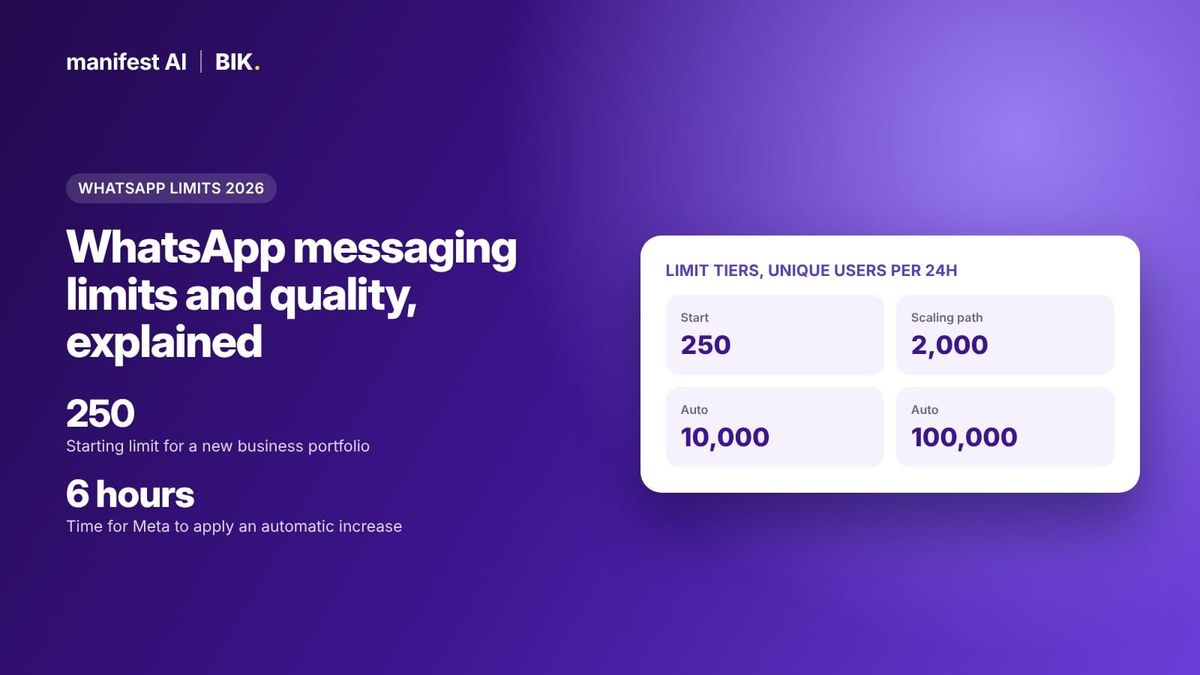
Short answer: WhatsApp's messaging limit caps how many unique people your business can message outside a customer service window in a moving 24 hours. Since 7 October 2025 it is set per business portfolio, not per phone number. New portfolios start at 250, move to 2,000 after business verification or 2,000 high-quality sends in 30 days, then scale automatically to 10,000, 100,000 and unlimited when quality is high and you use half your limit. BIK's WhatsApp Warm-up shows your tier and quality as you scale.

Messaging limits used to be a phone number problem. You warmed up each number, watched it for a "Flagged" status and feared a downgrade after a bad campaign. Meta rewrote those rules in October 2025, and most guides online still describe the old system. This article explains the current tiers, how quality rating works for numbers and templates, how to warm up a new portfolio, and what to do if your WhatsApp Business account is restricted. For per-message delivery errors such as 131049, see our guide to why WhatsApp marketing messages fail.
What is the WhatsApp messaging limit?
Meta defines the messaging limit as the maximum number of unique WhatsApp users your business can message outside a customer service window within a moving 24-hour period. Three details matter:
- It counts unique people, not messages. Sending three templates to the same customer in a day uses one slot.
- It only counts business-initiated messages. Replies inside an open customer service window, which opens for 24 hours each time a customer messages you, do not use the limit.
- It is shared across the portfolio. Every business phone number in a business portfolio draws from one limit. One busy number can use the whole portfolio's capacity.
You can check your limit in WhatsApp Manager under Account tools, then Messaging limits, or through the API by reading the whatsapp_business_manager_messaging_limit field on a business phone number. The older messaging_limit_tier field is deprecated.
Setting up WhatsApp for your store? Manifest AI and BIK turn WhatsApp conversations into orders, with AI agents that answer questions, recommend products and recover carts.
WhatsApp messaging limit tiers in 2026
| Tier | Unique users per 24 hours | How you reach it |
|---|---|---|
| Starting limit | 250 | Default for every new business portfolio |
| First increase | 2,000 | Complete one scaling path, then pass Meta's quality review |
| Automatic scaling | 10,000 | High-quality messaging and at least half your limit used in the last 7 days |
| Automatic scaling | 100,000 | Same criteria, one level at a time |
| Top tier | Unlimited | Same criteria |
A new phone number added to an existing portfolio inherits the portfolio's limit. It no longer starts again at 250. The number of phone numbers you can register also grows: new portfolios can register two numbers, rising to 20 once the business is verified or reaches the 2,000 limit.
What changed in October 2025
Meta moved messaging limits to the business portfolio level on 7 October 2025. The changelog entry is dated 8 October 2025. If you learned WhatsApp limits before then, these are the differences:
| Rule | Before October 2025 | Since October 2025 |
|---|---|---|
| Where the limit lives | Each phone number | The business portfolio, shared by all numbers |
| Automatic scaling starts at | 1,000 | 2,000 |
| Time to apply an increase | 24 hours | 6 hours |
| Scaling criteria | Number connected, Medium or High quality, half the limit used in 7 days | High-quality messages across all numbers and templates, half the limit used in 7 days |
| Flagged status | Low quality flagged the number; 7 days flagged cost one tier | Flagged no longer exists; a quality drop does not lower the limit |
| New numbers | Started at the bottom tier | Inherit the portfolio limit |
Webhooks changed with it. A new max_daily_conversations_per_business field reports the portfolio limit, and the old per-number fields were removed in February 2026. If your provider or in-house integration still reads the old fields, its limit display may be wrong.
How to increase your WhatsApp messaging limit
From 250 to 2,000: complete a scaling path
Meta lists three paths. You need to complete one:
- Verify your business in Meta Business Suite.
- Have your Meta partner verify your business, if a partner onboarded you.
- Send 2,000 delivered messages outside customer service windows to unique users within a 30-day moving period, using high-quality templates.
Meta then reviews your message quality. If approved, the limit rises to 2,000 straight away and you get an email, a developer alert and a business_capability_update webhook. If not, the limit stays where it is and an account_alerts webhook tells you what to do next, which is usually to send the 2,000 high-quality messages or to verify your identity.
From 2,000 upward: automatic scaling
Once you are at 2,000, Meta raises the limit one level within 6 hours when both conditions are true:
- You send high-quality messages across all your business phone numbers and templates.
- In the last 7 days, you used at least half of your current limit.
There is no form to fill in. The practical takeaway is that capacity follows usage. A brand that sits at 2,000 and sends 300 messages a day will stay at 2,000, then discover during a sale that it cannot reach 40,000 customers. Plan the climb in the weeks before peak season.
WhatsApp quality rating explained
"Quality rating" covers two related scores: one for your phone number and one for each template.
Phone number quality
Each number has a rating of High (green), Medium (yellow) or Low (red), shown in WhatsApp Manager under Phone numbers. It reflects how recipients responded to your messages over roughly the previous seven days, weighted toward recent messages. The main inputs are blocks, reports and the reasons people choose when they block a business, such as "Didn't sign up", "Spam" or "No longer needed". Since October 2025 a low rating no longer cuts your messaging limit, but it blocks automatic scaling, and Meta's opt-in documentation says sustained low quality can lead to rate limiting.
Template quality
Every template has its own score, readable through the API as quality_score:
| Score | WhatsApp Manager label | Meaning |
|---|---|---|
| UNKNOWN | Quality pending | New template, not enough data yet |
| GREEN | High quality | Little or no negative feedback |
| YELLOW | Medium quality | Negative feedback or low read rates; may soon be paused |
| RED | Low quality | At risk of being paused or disabled |
When a template reaches low quality, Meta pauses it for 3 hours the first time, 6 hours the second time, and disables it the third time. Paused sends are rejected, are not charged and do not count against your limit. Pauses lift automatically, and a disabled template can be edited and resubmitted. Repeated low-quality templates can eventually affect the phone number too.
How to warm up a new WhatsApp number or portfolio
Warm-up is the process of earning higher limits without damaging quality. Because limits now sit at the portfolio level, you are warming up the business, not just the number. A sensible plan:
- Verify the business first. It is the fastest of the three scaling paths and it also raises your phone number cap.
- Start with your warmest customers. Recent buyers and people who messaged you recently are the least likely to block. Send them useful messages before you send offers.
- Use utility messages to build volume. Order confirmations and shipping updates count as business-initiated messages, and customers expect them, so they are less likely to be blocked than cold promotions.
- Send consistently close to half your limit or more. Automatic scaling needs at least half the current limit used in 7 days. Irregular bursts followed by silence slow the climb.
- Watch template and number quality daily. If a template turns yellow, stop it and try different copy before it gets paused.
- Keep opt-out visible. A "Stop" button gives unhappy recipients an alternative to blocking you, and blocks are what hurt quality.
- Time the climb before peak season. Each step needs a week of usage at the current tier, so work back from your sale date.
See what your brand could automate. Our team builds the agents for you, and most brands are live in about 2 weeks.
WhatsApp Business API account restricted: what it means and how to recover
A restriction is different from hitting your limit. Hitting the limit is temporary and resets as the 24-hour window moves. A restriction is an enforcement action for a policy problem. Meta's policy enforcement documentation describes the ladder:
- Warning: names the policy you broke.
- 1 or 3 day restriction: no marketing, utility or authentication templates, and no new phone numbers. You can still reply inside open customer service windows.
- 5, 7 or 30 day restriction: no messages of any kind, and no new numbers.
- Account lock: indefinite block on all messages until an appeal succeeds.
- Disabled: permanent removal after repeated warnings and restrictions.
Common triggers are spam, template misclassification, high-risk product categories and excessive negative user feedback. Misclassifying marketing content as utility has its own ladder: a warning, then rate limiting of utility messages for at least 7 days, then all utility templates moved to marketing for 7 days (30 for repeat violations), then a 30-day restriction across the portfolio. Sends blocked this way can fail with error 131064, and a restricted account returns errors 131031 or 368.
How to recover
- Find the violation. Open Business Support Home in Meta Business Suite and check Account Overview. Meta also notifies admins by email and through the
account_updatewebhook. - Fix the cause before appealing. Pause the campaign or template involved, recategorize promotional "utility" templates as marketing, and remove contacts who did not opt in.
- Appeal if you believe it is wrong. Select the violation, click Request Review and add details. Meta typically decides within 24 to 48 hours. Some spam violations cannot be appealed.
- Restart slowly. When the restriction lifts, send to your most engaged customers first and watch quality before going back to full volume.
Messaging limit vs throughput
Throughput is a separate cap on how fast you can send, measured in messages per second. Cloud API numbers support 80 messages per second by default. Since October 2025, a number qualifies for 1,000 messages per second only if the portfolio has an unlimited messaging limit, has messaged at least 100,000 unique users outside customer service windows in a moving 24 hours, and has Medium quality or better. Throughput rarely limits ecommerce brands; the messaging limit usually does.
How BIK helps you scale limits safely
BIK is a Meta Business Solution Provider and an ecommerce retention platform. For limits and quality, the relevant features are:
- WhatsApp Warm-up. Guides you through scaling your business portfolio from 250 toward unlimited while keeping quality high. Under Settings, then Channel Management, select a WhatsApp number to see its warm-up status and current messaging tier, so you know before a sale whether your portfolio can reach the full audience.
- Messaging Limits (frequency caps). Cap how many marketing messages one customer gets per channel, with up to two rules per channel and windows from 1 hour to 7 days. Over-messaged customers are skipped automatically, which keeps blocks down.
- Do Not Disturb. Marketing messages are held during quiet hours and resume afterward.
- Best Time to Send. Recommends a send window per segment based on past reads and clicks.
- Fallback AI. If Meta pauses a template mid-campaign, BIK generates a compliant fallback, submits it and resumes once it is approved, with offers, codes and variables unchanged.
- Smart Retry. Retries failed campaign messages inside a window you choose, from 2 to 120 hours.
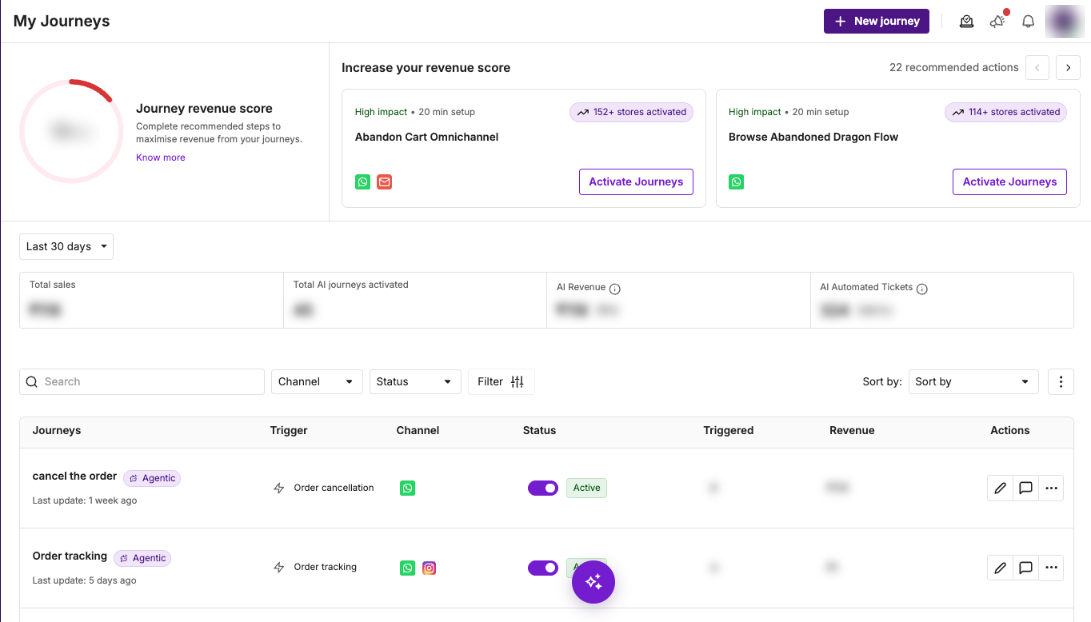
These tools are part of the BIK platform, a subscription priced on unique contacts that starts at $250 per month with AI credits included; messages sent from it are billed at Meta's rate card at cost, with no markup. Brands that only need WhatsApp API access can use BIK's BSP (API-only) offering instead: $10 per WhatsApp number per month, a $0 platform fee and no markup. The platform is not included in the $10. Migration is included, and every client gets a dedicated WhatsApp group with the BIK team, which helps when a template is paused at 9 pm during a sale.
When another option fits better
- You need raw API access only. If your developers manage limits and retries themselves, BIK's BSP (API-only) offering or a developer CPaaS such as Twilio may be simpler.
- Your customers are mainly in the US. Meta does not currently deliver marketing templates to US numbers, so warm-up for marketing volume will not pay off there.
- You are a very small sender. If you will not exceed 250 business-initiated chats a day, the WhatsApp Business app may be enough for now. When you need the API and retention flows, smaller brands can start on BIK's startup plan.
80%+ of tickets automated, or your money back. That's the Manifest AI guarantee, written into your contract.
FAQ
What are the WhatsApp messaging limit tiers?
250, 2,000, 10,000, 100,000 and unlimited unique users per moving 24 hours. New business portfolios start at 250. The limit applies to the whole business portfolio, not to each phone number.
How do I increase my WhatsApp messaging limit fast?
Verify your business to move from 250 to 2,000, subject to Meta's quality review. After that, send high-quality messages and use at least half your limit over 7 days; Meta raises the limit one level within 6 hours of meeting both conditions.
Does a low quality rating reduce my messaging limit?
Not since October 2025. Meta removed the Flagged status and no longer downgrades limits for a quality drop. Low quality still blocks automatic scaling, gets templates paused and can lead to rate limiting or enforcement.
Why is my WhatsApp Business API account restricted?
Usually because of spam reports, marketing templates submitted as utility, prohibited products or heavy negative feedback. Check Business Support Home for the violation, fix the cause and request a review; decisions typically take 24 to 48 hours.
Does adding a second phone number double my limit?
No. All numbers in a business portfolio share one limit. A new number inherits the portfolio's limit, which helps you start fast, but it does not add capacity.
Do replies to customers count toward the messaging limit?
No. The limit only counts unique users you message outside a customer service window. Replies within 24 hours of the customer's last message do not count.
Sources
- Meta: Messaging limits
- Meta: Messaging limits changes effective 7 October 2025
- Meta: WhatsApp Business Platform changelog
- Meta: Business phone numbers
- Meta: Template quality
- Meta: Template pausing
- Meta: Policy enforcement
- Meta: Template categorization
- Meta: Get opt-in for WhatsApp
- Meta: Throughput
- 360dialog: Quality rating
Related reading: why WhatsApp marketing messages fail, WhatsApp template rejections and categories, WhatsApp Business API updates in 2026 and the top WhatsApp Business API providers in 2026.