.png)
How to Launch an AI Agent on Gorgias or Zendesk in 2 Weeks (Without Migrating)
A day-by-day playbook to add an AI agent to Gorgias, Zendesk or Freshdesk in two weeks, with handoff setup for each helpdesk, testing, and what to measure after launch.
Updated October 2026 · By Sonakshi Nathani, Co-founder and CEO, Manifest AI by BIK

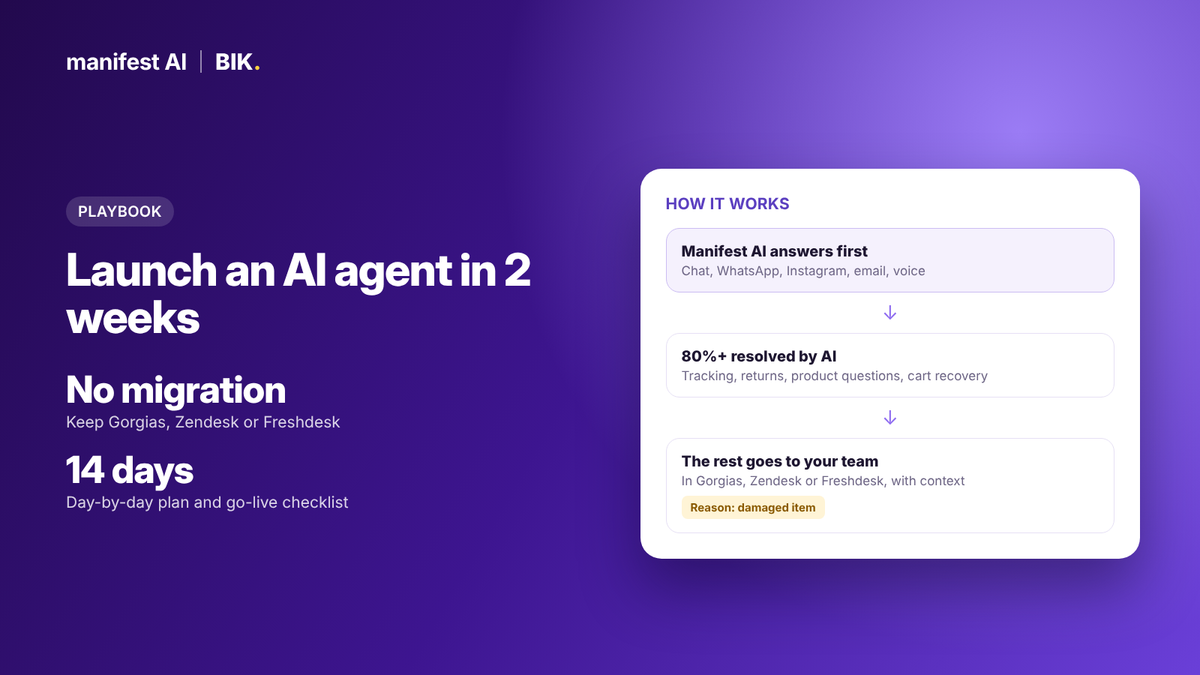
Short answer: You don't need to switch helpdesks to get an AI agent that resolves most of your tickets. With Manifest AI, you connect your store and your helpdesk (Gorgias, Zendesk or Freshdesk), our team builds the agents, and you go live in about two weeks. The AI answers first on chat, WhatsApp, Instagram, email and voice. Anything it can't resolve goes to your team, either as a ticket with the handoff reason and a summary of the conversation, or as a live chat transfer, so your team picks up exactly where the AI left off. We guarantee 80%+ automation of eligible conversations within 30 days of going live, or your money back.
This playbook is the plan we run with brands every week: what to prepare, what happens each day, how the handoff works in each helpdesk, how to test before launch, and what to measure after.
Why add AI on top instead of migrating
Switching helpdesks to get better AI is the most expensive way to get it. A migration means moving ticket history, macros, rules, integrations and reports, then retraining your team. It often takes weeks. During that time, your AI isn't live and your team is learning a new tool.
| Migrate to a new helpdesk | Add Manifest AI on top | |
|---|---|---|
| Time to live AI | Weeks to months, after the migration | About 2 weeks |
| Agent retraining | New inbox, macros and workflows | None. Agents keep working in the same helpdesk. |
| Ticket history and reports | Moved, and often partly lost | Untouched |
| Risk in peak season | High | Low. The helpdesk doesn't change. |
| Who builds the AI | Usually your team | Our team |
Migration makes sense when the helpdesk itself is the problem. If the problem is that too many tickets reach humans, fix that first.
What you need before day 1
- Admin access to your store: Shopify, WooCommerce, BigCommerce, or API access for a custom platform. The agent needs to read orders and your catalog.
- Admin access to your helpdesk: Gorgias, Zendesk or Freshdesk, so we can connect the handoff.
- 90 days of tickets: an export with tags or categories if you have them. This tells us what to automate first.
- Your policies: shipping, returns, exchanges, cancellations, warranties, discounts. Current versions, not last year's.
- Your brand voice: a few examples of replies your best agent would send, plus words or phrases to avoid.
- One owner on your side: usually the head of CX, available for a few hours a week during the two weeks.
How the handoff works
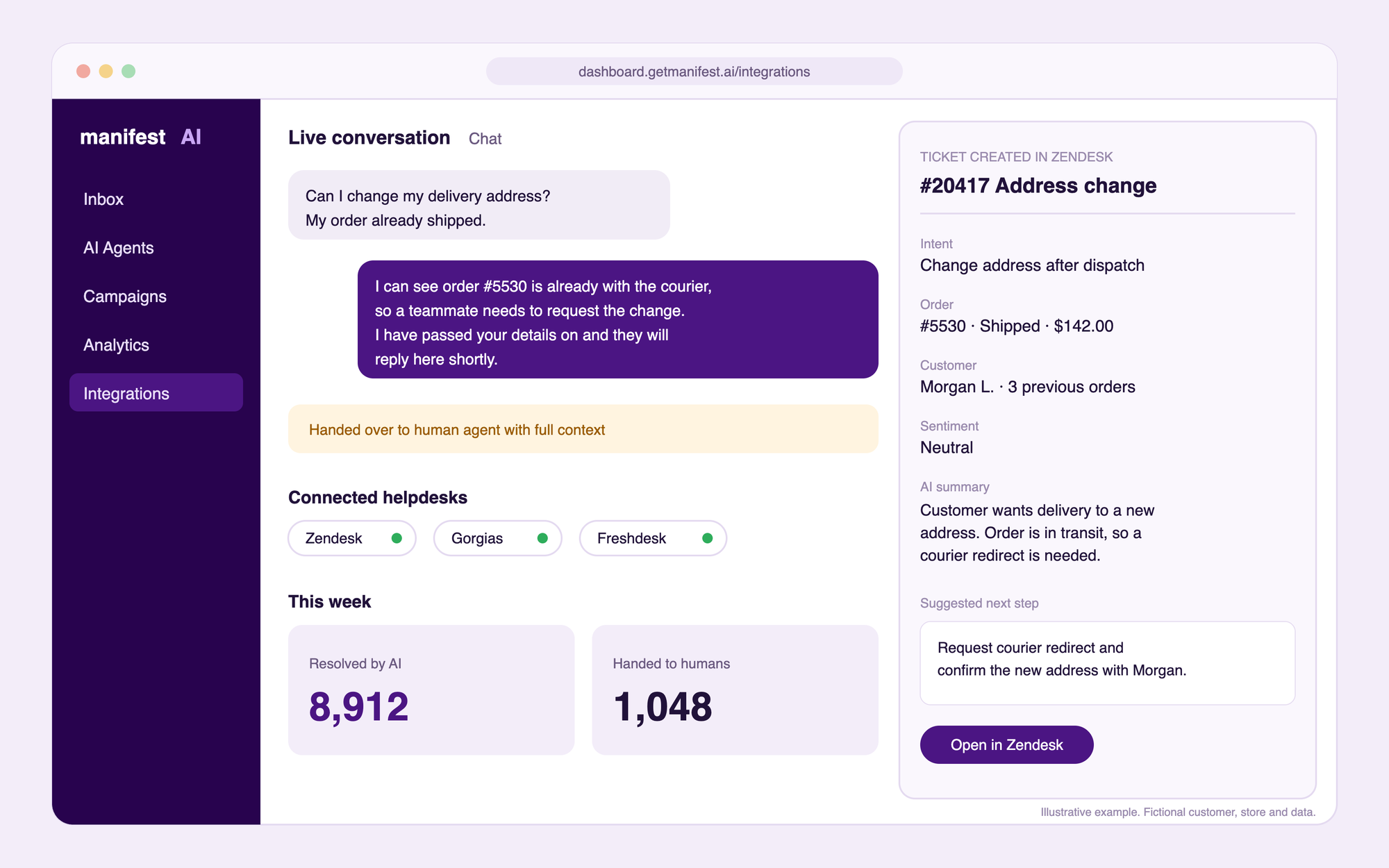
The handoff is what lets you keep your helpdesk. Manifest AI hands a conversation to your team in two situations: the customer asks for a person, or the AI decides a human should take over. You set this up in the Manifest dashboard under Training → Agent Handover (help article).
| Handoff option | What happens | Best for |
|---|---|---|
| Gorgias ticket | Manifest collects the customer's email and creates a Gorgias ticket with the handoff reason and a summary of the full conversation | Brands working tickets in Gorgias |
| Gorgias live chat | The chat moves to a live Gorgias agent in the same window, with the conversation summary | Teams staffing live chat in Gorgias |
| Zendesk ticket | Manifest collects the email and creates a Zendesk ticket with the handoff reason and a summary of the full conversation; the customer gets a ticket ID | Brands working tickets in Zendesk |
| Zendesk live chat | The chat moves to a live Zendesk agent in the same window, with a conversation summary | Teams staffing live chat in Zendesk |
| Freshdesk | Your choice: Manifest creates a Freshdesk ticket through the API, or sends the conversation to your Freshdesk support email | Brands on Freshdesk |
| The conversation goes to an email address you choose | Small teams without a helpdesk | |
| The customer moves to your WhatsApp number with the AI conversation's context | Brands supporting customers on WhatsApp | |
| Shopify Inbox | The Manifest chat closes and Shopify Inbox opens | Shopify brands using Shopify Inbox |
Prefer one place for everything? Use BIK as your helpdesk. With Manifest AI, the BIK helpdesk is free, with unlimited seats and tickets.
Want an AI agent that resolves tickets, not just routes them? Manifest AI automates 80%+ of tickets across chat, email, Instagram and WhatsApp.
The 2-week plan at a glance
| Days | What happens | Who | You end with |
|---|---|---|---|
| 1 to 2 | Kickoff. Review 90 days of tickets and rank the top 10 contact reasons. | You and Manifest | A ranked list of what to automate |
| 2 to 4 | Connect the store and the helpdesk. Sync catalog and order data. | Manifest | Live data flowing into the agent |
| 3 to 7 | Build agents for the top reasons: order status, returns, cancellations, product questions. | Manifest | Working agents in a test environment |
| 7 to 9 | Write handoff rules: what always goes to a human, and when. | You and Manifest | A signed-off handoff policy |
| 9 to 11 | Test on real past tickets and on a staging widget. Fix wrong or vague answers. | You | A pass rate you're comfortable with |
| 12 to 14 | Go live on website chat, then add WhatsApp, Instagram, email and voice. | Manifest | AI answering real customers |
Step by step
Step 1: Find your top contact reasons (days 1 to 2)
Export the last 90 days of tickets from Gorgias, Zendesk or Freshdesk, with tags if you use them. Group them into reasons and rank by volume. In most online stores, a handful of reasons make up most of the volume: where is my order, returns and exchanges, cancellations and address changes, product and sizing questions, and discount codes. Those are the first agents to build.
Also note the reasons you never want automated, such as chargebacks or safety complaints. They become your first handoff rules.
Step 2: Connect your stack (days 2 to 4)
The agent needs read access to orders and products so it answers from live data, not a static FAQ. It needs access to your helpdesk so it can create tickets when it hands off. Our team does the connection work. You approve access. For Gorgias, the only detail we need is your help center subdomain. For Zendesk, we need API credentials from your admin.
Step 3: Build the agents (days 3 to 7)
We build one agent per job, not one giant bot. A typical first set:
- Order tracking: looks up the order and gives the real status and delivery estimate.
- Returns and exchanges: checks eligibility against your policy and processes the return or exchange end to end.
- Cancellations and edits: cancels or edits the order inside your cut-off window, and hands off outside it.
- Product questions: answers sizing, ingredients and compatibility from your catalog and reviews, and recommends the right product.
- Cart recovery: follows up on abandoned carts on WhatsApp, email or a voice call.
Agents can resolve requests end to end, including returns, cancellations and order edits, or stop at any step and hand off. You decide how far each agent goes. We load your policies and brand voice, and you review sample answers as each agent comes together. Our team keeps building new agents after launch too, with no limit.
Step 4: Write your handoff rules (days 7 to 9)
Good handoff rules matter more than clever prompts. Decide upfront what the AI should never handle alone.
| Situation | AI or human? |
|---|---|
| Where is my order, delivery estimate | AI |
| Return or exchange inside policy | AI |
| Product, sizing and stock questions | AI |
| Cancellation inside your cut-off window | AI |
| Damaged or wrong item | AI collects details and photos, then hands off |
| Refund outside policy, or a goodwill gesture | Human |
| Chargebacks, legal or safety issues | Human, immediately |
| Angry customer or second complaint about the same order | Human |
| Customer asks for a person | Human, always |
Step 5: Test before launch (days 9 to 11)
Replay real past tickets through the agent and score each answer:
- Correct: accurate, complete and on-brand.
- Incomplete: right direction, missing a detail.
- Wrong: inaccurate or against policy. Fix the source, not just the answer.
- Should have handed off: tighten the handoff rules.
Then use the staging widget yourself, the way an annoyed customer would. Ask the same question three different ways. Try an order number that doesn't exist. Ask for a refund you shouldn't get.
Step 6: Go live in stages (days 12 to 14)
Start with website chat, where you can watch conversations closely. Once answers look right, add WhatsApp, Instagram, email and voice. You can also start with after-hours coverage, so the AI handles the gap when no one is online, then expand to all hours.
Helpdesk-specific setup
Gorgias
- Find your Gorgias help center subdomain.
- In the Manifest dashboard, open Integrations, switch on Gorgias and add the integration.
- Under Training → Agent Handover, select Gorgias.
When the AI hands off, Manifest collects the customer's email and creates a Gorgias ticket with the handoff reason and a summary of the full conversation, so agents can follow up without asking the customer to repeat themselves. If your team staffs live chat in Gorgias, you can transfer the chat to a live agent instead, in the same window (Gorgias setup guide). Manifest AI is also listed in the Gorgias app store.
Zendesk tickets
Connect Zendesk with your API credentials, then select Zendesk as the handoff. When a customer asks for an agent, Manifest collects their email and creates a Zendesk ticket with the handoff reason and a summary of the full conversation. The customer gets a ticket ID to continue the conversation, and agents reply from Zendesk as usual (Zendesk setup guide).
Zendesk live chat
If your team staffs live chat in Zendesk, the customer can move from the AI to a live agent in the same chat window. The agent gets a summary of the AI conversation, the customer sees a waiting state until an agent is assigned, and each chat also appears as a Zendesk ticket (Zendesk live chat guide).
- You'll need: a Zendesk account with access to Conversations Integrations, the Conversations API and API tokens.
- Setup: add Manifest's webhook in Zendesk, create a Conversations API key and an API token, enter the credentials in the Manifest dashboard, then choose LiveChat → Zendesk Chat as the handoff and set business hours.
- Good to know: chat messages support bold and bullet points but not hyperlinks, and each handoff creates a new Zendesk ticket, even for returning customers.
Freshdesk
Choose how handoffs arrive: Manifest can create a Freshdesk ticket through the API, or send the conversation to your Freshdesk support email address, where it becomes a ticket. Either way, agents keep working in Freshdesk as they do today.
AI on email inside Gorgias and Zendesk
Manifest AI doesn't only work on chat. It also answers email tickets inside Gorgias and Zendesk, so your email queue gets automated too, not just the chat widget.
No helpdesk, or ready to consolidate?
Use BIK as your helpdesk. With Manifest AI, the BIK helpdesk is free, with unlimited seats and tickets across WhatsApp, Instagram and email.
After launch: what to measure every week
| Metric | What it tells you |
|---|---|
| Automation rate | Share of eligible conversations resolved by AI without a human reply. This is what our guarantee is measured on. |
| Top handoff reasons | Where the next agent or policy fix should go |
| First response time | How fast customers get an answer, now that the AI answers first |
| CSAT on AI conversations | Whether customers are happy with AI answers, not just getting them |
| Revenue influenced | Orders that followed an AI conversation or recovered cart |
| ROI | Revenue influenced by Manifest AI divided by its cost |
Run a 30-minute review each week: read 20 handed-off conversations, fix the biggest reason, and ask our team for any new agent you need. That loop is how automation keeps climbing after launch.
See what your brand could automate. Our team builds the agents for you, and most brands are live in about 2 weeks.
Common mistakes to avoid
- Automating everything on day one. Start with your top contact reasons and expand.
- Outdated policies. The AI will repeat whatever you load. Check return windows and shipping times first.
- No handoff rules. Customers forgive an AI that hands off. They don't forgive one that refuses to.
- Launching in peak season. Go live at least a few weeks before Black Friday, so the agents have learned your busiest questions.
- Measuring only deflection. Track CSAT and revenue influenced too. An AI that sells is worth more than one that only closes tickets.
Results brands see
Transformer Table reports a 14.7x ROI with Manifest AI, measured as revenue influenced by Manifest AI divided by its cost. Across 500+ brands, our team builds and tunes the agents, and we guarantee 80%+ automation of eligible conversations within 30 days.
What it costs
Manifest AI costs $0.05 per AI reply, with a $500 monthly minimum (10,000 replies). A conversation averages 3 AI replies, or about $0.15. On an annual contract, your price is fixed for the year and AI replies are unlimited. You can start with a 30-day free trial or a 90-day paid pilot. See Manifest AI pricing.
80%+ of tickets automated, or your money back. That's the Manifest AI guarantee, written into your contract.
FAQ
Do I need to leave Gorgias or Zendesk?
No. Manifest AI works on top of Gorgias, Zendesk and Freshdesk. Your team keeps working in the helpdesk they know.
How long does it take to launch an AI agent?
About two weeks from kickoff to going live.
Who builds the agents?
Our team, during onboarding and for as long as you're a customer, with no limit on agents and automations.
What happens when the AI can't answer?
It hands off with the reason and a summary of the conversation: as a ticket in Gorgias, Zendesk or Freshdesk, or as a live chat transfer to a Gorgias or Zendesk agent.
Does it work on email too?
Yes. Manifest AI answers email tickets inside Gorgias and Zendesk, as well as chat, WhatsApp, Instagram and voice.
Can the AI process returns and cancellations?
Yes. Depending on how the agent is built, it can handle returns, exchanges, cancellations and order edits end to end, or hand off at any step you choose.
Is there a guarantee?
Yes. If Manifest AI isn't automating 80%+ of eligible conversations within 30 days of going live, or 90%+ after that, you get your money back.
Which channels does the AI cover?
Website chat, WhatsApp, Instagram, email and voice.
Can I try it first?
Yes. Start with a 30-day free trial, or a 90-day paid pilot before you sign an annual contract.
What if I'm on Gladly or Re:amaze?
We don't run on top of those today. Brands on Gladly or Re:amaze move fully to Manifest AI + BIK, and our team runs the migration.
Book a demo to plan your two weeks.