.png)
WhatsApp Marketing for Shopify: The Complete 2026 Guide
What WhatsApp marketing is and how to run it on Shopify in 2026: API and number setup, opt-ins, templates, the 10 core automated flows, a campaign calendar for India and global sale seasons, measurement and real per-message costs.
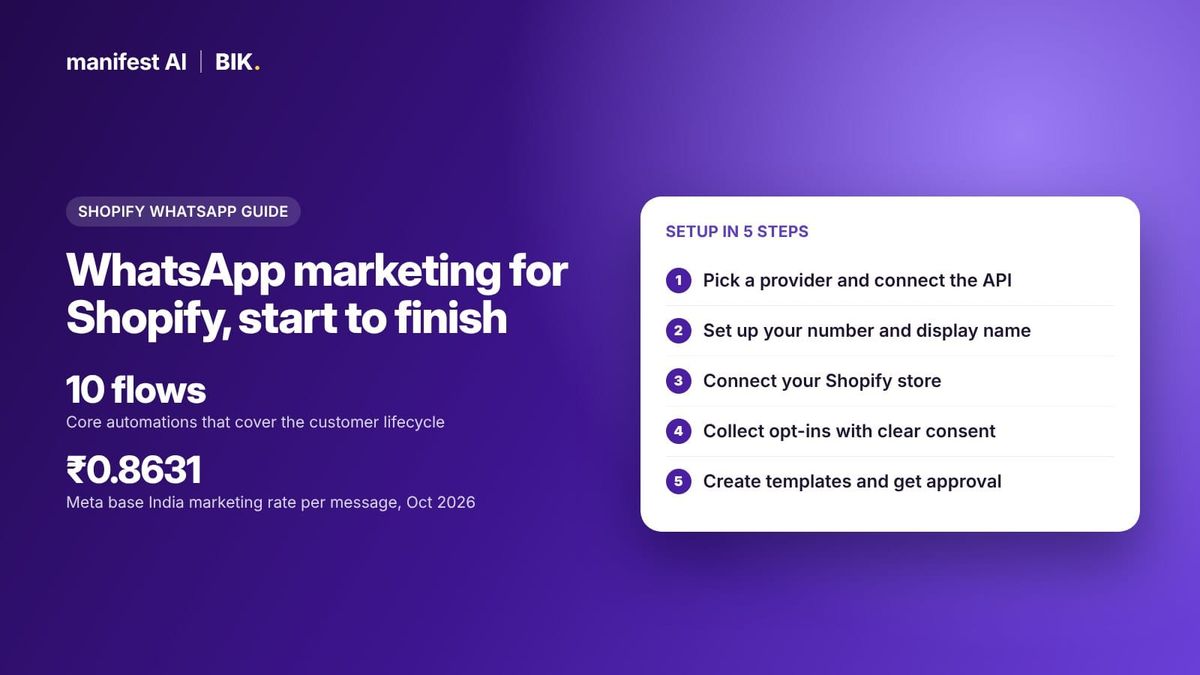
Short answer: WhatsApp marketing is sending opted-in customers automated and broadcast messages on WhatsApp, such as cart reminders, order updates, offers and product launches, through the WhatsApp Business API. For a Shopify brand, it means connecting a Meta Business Solution Provider like BIK to your store, collecting opt-ins, getting templates approved, then running about ten core automated flows plus a monthly campaign calendar. You pay Meta per delivered template message, plus whatever your provider charges on top.

WhatsApp has become a core retention channel for D2C brands in India, the Middle East, Southeast Asia and Latin America. The brands that get results treat it like email in its early days: permission first, automation before broadcasts, and careful measurement. This guide walks through setup, the flows that matter, a campaign calendar, measurement and real costs as of October 2026.
What is WhatsApp marketing?
WhatsApp marketing uses the WhatsApp Business Platform (the API) to message customers at scale. It is different from the free WhatsApp Business app, which is built for one person replying from a phone and cannot run Shopify-triggered automations.
On the API, every message a business starts must use a pre-approved template. Meta sorts templates into three categories:
- Marketing: offers, launches, cart reminders, win-back messages.
- Utility: non-promotional messages tied to a specific order or account, such as order confirmations and shipping updates.
- Authentication: one-time passwords.
When a customer messages you, a customer service window opens and you can reply freely within it. Since 1 July 2025, Meta bills per delivered template message, by category and recipient country.
How to do WhatsApp marketing on Shopify: setup in 5 steps
1. Choose a provider and connect the API
You access the API through a Business Solution Provider (BSP) or a platform built on one. Check three things: whether they mark up Meta's message rates, whether they integrate deeply with Shopify (events, tags, orders), and whether they can migrate an existing number. Our guide to WhatsApp Business API providers in 2026 compares the options.
2. Set up your number and display name
Use a number that is not active on the WhatsApp app, or migrate the number you already use on another API provider. During onboarding you choose a display name; Meta needs to approve it if it differs from your Meta Business Account name. Verifying your business with Meta raises your messaging limits. New numbers should scale volume gradually rather than blasting the whole list on day one.
3. Connect Shopify
The Shopify connection is what turns WhatsApp from a broadcast tool into a retention channel. It feeds events such as ordered, abandoned cart, shipping update and order delivered into journeys, and syncs customers, tags and order data for segmentation.
4. Collect opt-ins
Meta requires opt-in before you send business-initiated messages. The opt-in must state that the customer will receive WhatsApp messages and name your business. Meta also recommends covering each message category you plan to send and making opt-out easy. Customers who block or report you lower your quality rating.
Good opt-in points for a Shopify store:
- A WhatsApp checkbox at checkout.
- Website popups. BIK offers spin the wheel, scratch card, direct reward and lead gen form popups, with a privacy policy link and consent checkbox.
- A WhatsApp chat widget on product pages.
- QR codes in packaging and stores. Duroflex gives every store its own QR code that opens a WhatsApp conversation tied to that store.
- Click-to-WhatsApp ads on Facebook and Instagram.
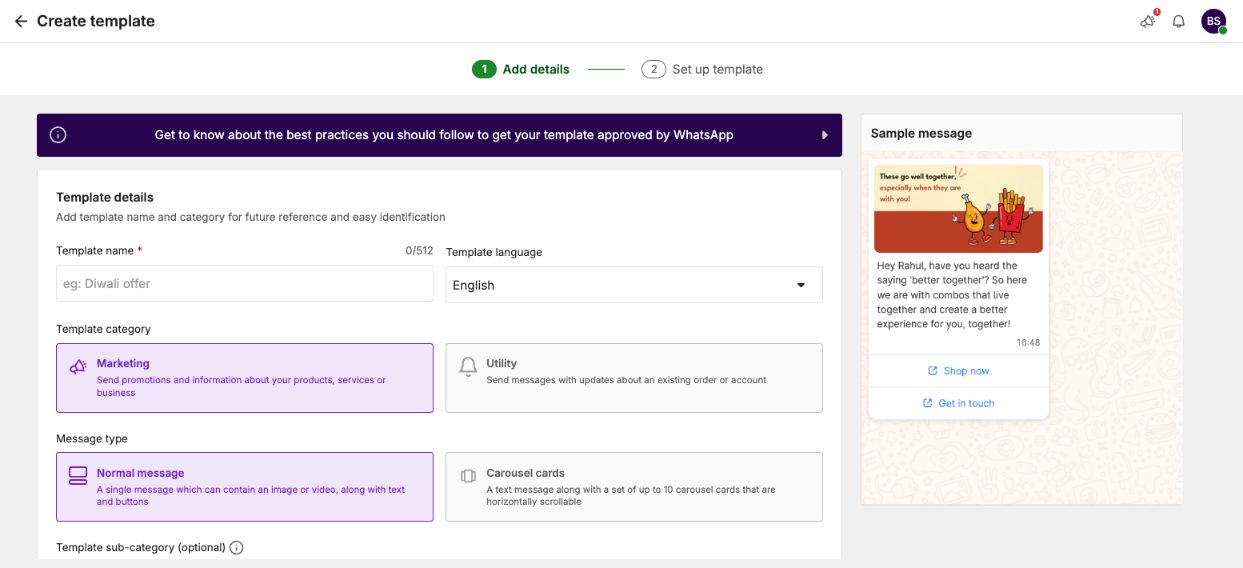
5. Create and approve templates
Write templates for each flow, pick the right category, and submit them for Meta approval. Use images, buttons and carousels. A message that is promotional but submitted as utility will be reclassified or rejected.
Selling on WhatsApp? Manifest AI and BIK turn WhatsApp conversations into orders, with AI agents that answer questions, recommend products and recover carts.
The 10 core WhatsApp flows every Shopify brand needs
Automated flows usually drive more revenue than broadcasts because they fire at moments of intent. These ten cover most of the customer lifecycle.
| # | Flow | Trigger | Category |
|---|---|---|---|
| 1 | Welcome and first-order offer | New opt-in or customer created | Marketing |
| 2 | Abandoned cart and checkout recovery | Abandoned cart | Marketing |
| 3 | Browse abandonment | Product viewed, no add to cart | Marketing |
| 4 | Order confirmation | Ordered | Utility |
| 5 | COD confirmation and COD-to-prepaid | Ordered with COD | Utility |
| 6 | Shipping and delivery updates | Shipping status change | Utility |
| 7 | Review request | Order delivered | Utility or marketing, depending on copy |
| 8 | Cross-sell after purchase | Days after purchase | Marketing |
| 9 | Back in stock and price drop alerts | Inventory or price change | Marketing |
| 10 | Win-back and replenishment | Days since last order | Marketing |
Some real examples from BIK customers, as reported in their case studies:
- Cart recovery: Ample Imagine branches recovery messages by product category and reports ₹1.35Cr in order revenue from 10.05K abandoned cart triggers in 30 days. Full guide: WhatsApp abandoned cart recovery.
- Browse retargeting: LEGO India retargets shoppers identified through Shopflo tags and reports ₹3.85L in order revenue in 30 days.
- Shipping updates: Ample Imagine sends seven status-specific templates and reports roughly 80% of 6.6K delivered updates opened.
- Reviews: LEGO India sends review requests on delivery and routes 1 to 3 star ratings to a person before anything is published. See the review flow.
- Cross-sell: LEGO India sends a carousel of complementary products seven days after purchase and reports ₹67.3K in revenue from 239 carousels in the first month. See the cross-sell flow.
- Price drop: Ample Imagine alerts customers who viewed or opted into a product when its price falls 5% or more, and reports ₹82.9K from 168 alerts in 30 days.
Build the utility flows first: they protect the customer experience and keep your quality rating healthy. Then add the marketing flows in order of intent: cart, browse, cross-sell, win-back.
WhatsApp marketing strategy: what to send and how often
A workable strategy has three layers.
- Automated flows run every day and carry most of the revenue.
- Broadcast campaigns go to segments, not your whole list: repeat buyers, product page drop-offs, engaged customers, lapsed customers.
- Conversations handle replies. A campaign that gets replies nobody answers is wasted. AI agents can answer common questions and hand off the rest.
On frequency, there is no safe universal number. Meta caps how many marketing templates a user receives based on their engagement, and returns error 131049 when a message is blocked. Practical rules: send broadcasts to engaged segments, cap messages per customer per week, pause sends overnight, and drop people who have not read anything in months.
Segments worth building first
BIK ships ready campaign segments that map well to a starter strategy:
- Product page drop-offs: viewed a product page in the last 30 days but did not order.
- Repeat buyers: purchased more than twice.
- Engaged customers: clicked or replied at least three times in the last 60 days.
- Subscribers who never purchased: reachable on a channel but no order yet.
- Lost and hibernating customers: once active, now quiet.
Send new launches to repeat buyers and engaged customers first, offers to drop-offs and never-purchased subscribers, and win-back messages to lost customers at a lower frequency.
A WhatsApp campaign calendar for D2C brands
Use this as a starting template and adjust for your category and region. Plan two or three broadcast moments a month, on top of your automated flows.
| Month | India moments | Global moments | Campaign idea |
|---|---|---|---|
| January | Republic Day sales | New Year, January sales | Clearance with early access for repeat buyers |
| February | Valentine's Day | Valentine's Day | Gift quiz on WhatsApp |
| March | Holi | Spring launches, Ramadan (dates vary) | Category launch to past buyers of related products |
| April to May | Summer, Akshaya Tritiya | Mother's Day | Gift guides, bundles |
| June to July | End of season sale | Mid-year sales, Father's Day | Back in stock and price drop pushes |
| August | Raksha Bandhan, Independence Day | Back to school | Gift reminders with delivery cut-off dates |
| September | Onam, Navratri build-up | Autumn launches | Wishlist and early access sign-ups |
| October to November | Navratri, Dussehra, Diwali | Black Friday, Cyber Monday | Early access, countdown, last shipping day |
| December | Wedding season, year-end sale | Christmas, New Year | Gift cards, last-minute delivery options |
For big sale seasons, warm up your number in the weeks before, so higher volumes do not hit limits. BIK's Trend Radar surfaces trending moments relevant to your brand, and Recurring Campaigns let you set up a repeating send once.
How to measure WhatsApp marketing
| Metric | Why it matters |
|---|---|
| Delivery rate | Shows list quality, limit hits and template issues |
| Read rate | Shows whether your timing and audience are right |
| Click-through rate | Shows whether the offer and creative work |
| Reply rate | Shows demand for conversation; measure response time too |
| Attributed orders and revenue | The outcome, per flow and per campaign |
| Cost per order | Message cost plus discounts, divided by orders |
| Blocks, opt-outs and quality rating | Early warning before Meta restricts your number |
Two habits make measurement honest. Report flows separately from broadcasts, because flows look better by design. And run holdout groups on your biggest flows to see the lift you would not have got anyway.
See what your brand could automate. Our team builds the agents for you, and most brands are live in about 2 weeks.
What WhatsApp marketing costs
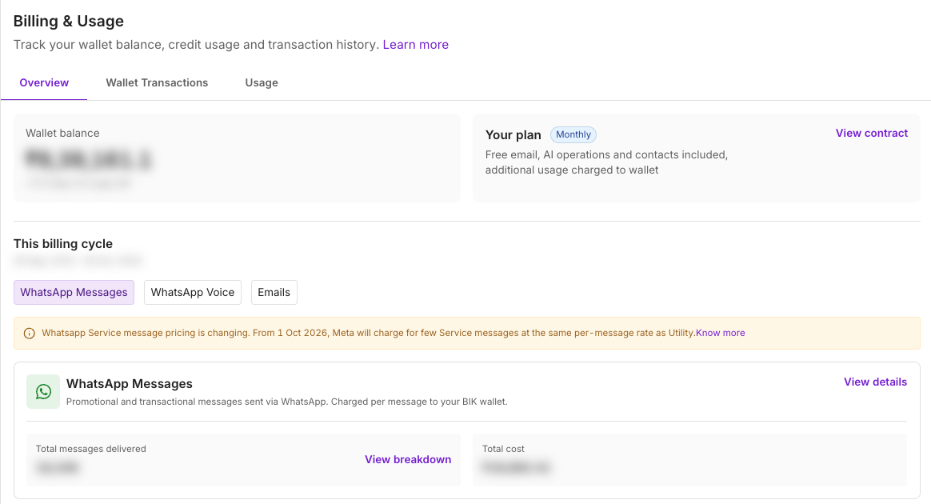
You pay two things: Meta's per-message fees and your platform's fees. Meta's base rates for India in October 2026, per third-party summaries of Meta's rate card, are about ₹0.8631 per marketing message and ₹0.115 per utility message. Some providers list higher prices; AiSensy, for example, lists ₹1.09 per marketing message and ₹0.145 per utility message for India.
From 1 October 2026, service messages (free-form replies inside the customer service window) are charged at the recipient country's utility rate after 1,000 free service messages per business number per month. Conversations started from Click-to-WhatsApp ads or Facebook Page buttons stay free during the free entry point window. Details are in our guide to service message pricing.
| Example month (India) | At Meta base rates | At AiSensy listed rates |
|---|---|---|
| 50,000 marketing messages | ₹43,155 | ₹54,500 |
| 20,000 utility messages | ₹2,300 | ₹2,900 |
| Total messaging | ₹45,455 | ₹57,400 |
GST is extra in both columns. Platform subscriptions sit on top: BIK's standard plans, built for brands doing about ₹1 crore or more a month, start at $250 per month, priced on contacts, and pass Meta's rates through at cost. Smaller brands can start on BIK's startup plan.
How BIK runs WhatsApp marketing for Shopify brands
- No markup on WhatsApp: Meta's rate card at cost, the same in every country, on top of a platform plan from $250 per month priced on contacts. Brands that only need WhatsApp API access can use BIK as a BSP instead: $10 per WhatsApp number per month, no platform fee, no markup.
- Set up for you: new brands get a growth manager who sets up 30+ flows, and migration from any provider is included. Every client gets a dedicated WhatsApp group with the BIK team.
- Omnichannel journeys: WhatsApp, email, SMS, RCS, Instagram, web push and live chat on one customer profile.
- Deliverability controls: Smart Retry, Fallback AI, WhatsApp Warm-up, messaging limits, quiet hours and Best Time to Send.
- AI on replies: the Campaign Sales Agent answers customers who reply to campaigns, and escalation rules hand conversations to your team.
- Checkout in chat: customers can browse and pay inside WhatsApp.
BIK is rated 4.9 from 139 reviews on the Shopify App Store as of October 2026, with a 14-day free trial.
When another option fits better
If you only need a basic shared inbox and occasional broadcasts, with no retention programme, a simple inbox tool such as WATI or AiSensy covers that; smaller stores that want the core flows can start on BIK's startup plan. If most of your customers are in the US, WhatsApp marketing templates are not currently delivered to US numbers according to Meta, so email and SMS should lead. And if you already run journeys in a CDP like MoEngage, you can keep that and use BIK for WhatsApp templates, as Popclub does.
80%+ of tickets automated, or your money back. That's the Manifest AI guarantee, written into your contract.
FAQ
What is WhatsApp marketing in simple terms?
It is sending permission-based messages to customers on WhatsApp, such as offers, reminders and order updates, through the WhatsApp Business API. Messages you start must use templates approved by Meta.
How do I integrate WhatsApp with my Shopify store?
Install a WhatsApp platform from the Shopify App Store, connect your WhatsApp Business API number through it, and enable the Shopify events you want to use as triggers. Then add opt-in collection and submit your templates.
Is the WhatsApp Business app enough for marketing?
Not for a growing store. The app suits one person replying manually. Automated cart recovery, order updates and segmented campaigns need the API.
How many WhatsApp marketing messages can I send per week?
Meta does not publish a fixed number. It limits marketing templates per user based on engagement, so focus on engaged segments and cap frequency per customer. Many brands start with one or two broadcasts a week.
How much does WhatsApp marketing cost for a Shopify store?
Meta's fees depend on country and category; in India the base marketing rate is about ₹0.8631 per message in October 2026. Add your platform's subscription and any markup on messages.
What is the best WhatsApp marketing strategy for D2C brands?
Build automated flows first, starting with order updates and cart recovery, then add segmented campaigns around sale moments. Answer replies quickly, and measure flows and campaigns separately.