.png)
Best WhatsApp Automation Tools for Ecommerce (2026)
Journey builders, chatbot inboxes or n8n and Zapier with the Cloud API? We compare BIK, WATI, AiSensy, Interakt, Gallabox, respond.io, SleekFlow and DIY options for ecommerce WhatsApp automation, with October 2026 pricing.
Short answer: The best WhatsApp automation tool for most ecommerce brands is a journey builder connected to your store, not a broadcast tool or a do-it-yourself workflow. BIK is the strongest fit for Shopify brands: it ships ready ecommerce journeys (abandoned cart, COD confirmation, order tracking, checkout in chat), cancels them when the customer buys, retries failed sends and charges Meta's message rates at cost. WATI, Interakt, AiSensy, Gallabox, respond.io and SleekFlow are good inbox-and-chatbot tools. n8n or Zapier with the WhatsApp Cloud API suits teams with developers and simple, custom needs.

"WhatsApp automation" covers three very different products. Some tools automate broadcasts. Some automate conversations with chatbots. A few automate the customer lifecycle by listening to store events and sending the right message at the right moment. This guide explains the difference, lists what an ecommerce brand should automate first, and compares the main tools as listed in October 2026.
What is WhatsApp automation? The three types of tool
| Type | What it automates | Examples | Good for | Weak at |
|---|---|---|---|---|
| Ecommerce journey builder | Messages triggered by store events (cart abandoned, order placed, shipped, delivered), with conditions, delays and exit rules | BIK, Zoko | Revenue and post-purchase automation on Shopify | Brands with no online store |
| Inbox and chatbot platform | Keyword or button chatbots, routing, scheduled broadcasts, some event triggers | WATI, Interakt, AiSensy, Gallabox, respond.io, SleekFlow | Support and sales teams handling inbound chats | Deep ecommerce logic often needs add-ons or integrations |
| DIY workflow automation | Anything you can wire up: a webhook in, an API call out | n8n or Zapier with the WhatsApp Business Cloud API | Custom, low-volume or internal workflows | Templates, opt-outs, retries, frequency caps and analytics are all yours to build |
Most ecommerce brands need the first type, plus a decent inbox. Brands that start with a broadcast tool usually end up rebuilding cart and order flows somewhere else within a year.
Want WhatsApp that sells, not just sends? Manifest AI and BIK turn WhatsApp conversations into orders, with AI agents that answer questions, recommend products and recover carts.
What should an ecommerce brand automate on WhatsApp?
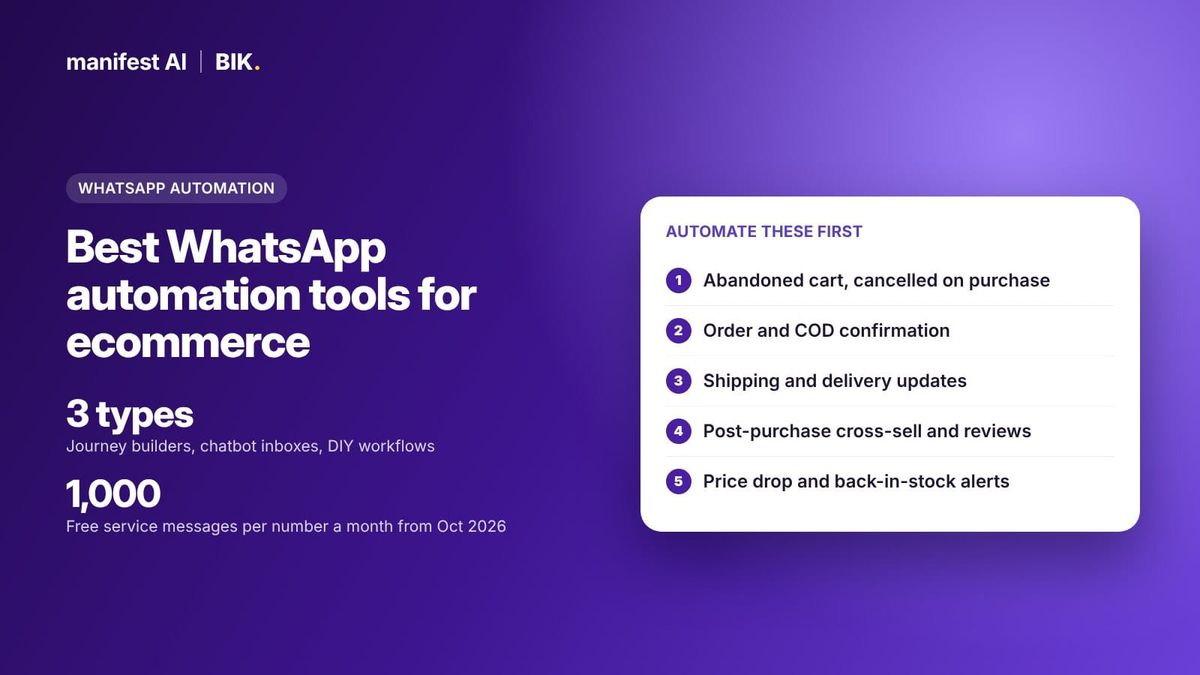
Start with the flows tied to an event the customer has just caused. These convert best because the message is expected.
- Abandoned cart and abandoned checkout. Triggered by the cart event, cancelled the moment the customer orders.
- Browse abandonment. A softer nudge after product views, with a cap on how often one customer can receive it.
- Order confirmation and COD confirmation. Utility messages. In India, COD confirmation with an option to switch to prepaid cuts return-to-origin losses.
- Shipping and delivery updates. Sent from your shipping events so customers stop asking "where is my order".
- Post-purchase cross-sell and review requests. Timed to the delivery date, not the order date.
- Price drop and back-in-stock alerts. Triggered by catalogue changes for customers who showed interest.
- Win-back and replenishment. Based on last order date and typical reorder cycle.
- Support deflection. Order status, returns and FAQs answered automatically, with a clean handover to an agent.
Two cost rules apply in October 2026. Marketing templates are charged per delivered message, and from 1 October 2026 service replies inside the 24-hour window are charged at the utility rate after 1,000 free per number per month. Automations that answer support questions now carry a message cost, so a tool's message margin matters for support flows too. Details: WhatsApp service message pricing from October 2026.
WhatsApp automation tools compared (October 2026)
| Tool | Automation model | Price as listed in October 2026 | Message pricing |
|---|---|---|---|
| BIK | Ecommerce journey builder with store triggers, cancel triggers, AI blocks, retries; plus campaigns and helpdesk | From $250 per month on unique contacts (100,000 contacts is $300); startup plan | Meta's rate card at cost, no markup, charged per message to the BIK wallet |
| WATI | Inbox, chatbots, broadcasts; automation triggers metered per plan (1,000, 2,000 or 5,000 a month) | ₹999 pay-as-you-go; Growth, Pro, Business; Shopify add-on $4.99 per month | WATI's rate card |
| Interakt | Inbox, chatbot builder, catalogue; custom events limited by plan (none on Starter, 5 on Growth, 7 on Advanced) | From ₹3,499 per quarter, plus GST (independent audit) | Reported 12% to 25% above Meta on self-serve |
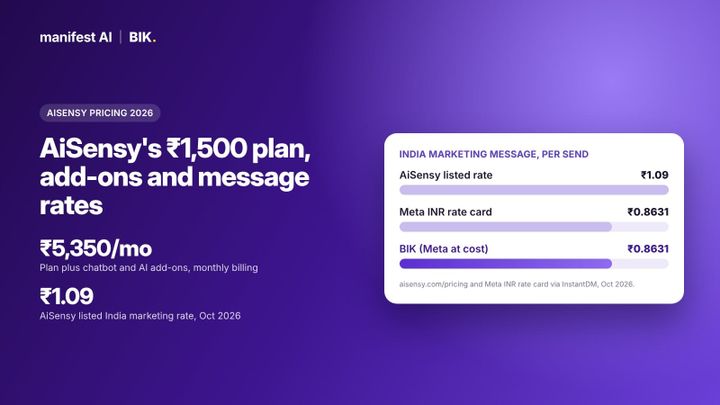
| AiSensy | Broadcasts; chatbot builder and AI agent as add-ons | Paid from ₹1,500 per month; chatbot builder ₹2,500 per month; AI Agent Builder ₹1,350 per month | Lists ₹1.09 marketing, ₹0.145 utility in India |
| Gallabox | Chatbot flows, capped by plan (5, 20, up to 100 active flows) | ₹2,399, ₹5,599, ₹13,599 per month billed annually | Billed separately; discounted markup on Enterprise |
| respond.io | Omnichannel inbox with workflows and AI agents | Starter $79, Growth $159, Advanced $279 per month | Not stated on the pricing page we checked |
| SleekFlow | Inbox; Flow Builder from the Pro plan | Essential $49, Pro $109, Premium $279 per month billed yearly | SleekFlow rate card; $15 per month number hosting |
| n8n + Cloud API | DIY workflows; WhatsApp node sends messages and templates | Cloud from €20 per month billed annually; self-hosted version on GitHub | Meta's rates direct |
| Zapier + Cloud API | DIY zaps; send freeform, template and media messages | Zapier plan pricing | Meta's rates direct |
The best WhatsApp automation tools for ecommerce, reviewed
1. BIK: best for ecommerce lifecycle automation
BIK is a premium retention, conversational commerce and helpdesk platform built for established and fast-growing ecommerce brands. Its journey builder listens to store and channel events and runs multi-step flows across WhatsApp, email, SMS, RCS and Instagram from one customer profile. We make BIK; the details below are from BIK's help centre and feature catalogue.
- Store triggers out of the box. Triggers include Shopify events (abandoned cart, ordered, shipping update), Instagram events (story mention, comment), integration events such as payment link paid, special dates such as last order X days ago, and keywords.
- Cancel triggers and trigger frequency. An abandoned cart journey stops for a customer the moment an "Ordered" event arrives, and you can limit how many times one customer enters a journey in a time window. This is what prevents the classic "you left something behind" message after a purchase.
- Logic and AI blocks. Condition, filter, order filter, A/B testing and delay blocks, plus AI blocks that classify replies, recommend products and write replies. The AI router sends inbound conversations to the right journey.
- Ready journeys. Recommended journeys such as Abandon Cart Omnichannel and Browse Abandoned, agentic journeys for order cancellation and order tracking, COD confirmation with COD-to-prepaid conversion, and end-to-end checkout in WhatsApp. New brands get a growth manager who sets up 30+ flows.
- Delivery protection. Smart Retry resends failed campaign messages, for example those hit by Meta's per-user marketing limits, inside a retry window. Fallback AI creates a compliant backup template if the main one is paused. Messaging Limits and Do Not Disturb stop over-messaging.
- Open to your stack. Message APIs, Event APIs for non-Shopify stores, webhook event forwarding (sent, delivered, read, failed), a Call Custom API block inside journeys and a Zapier integration.
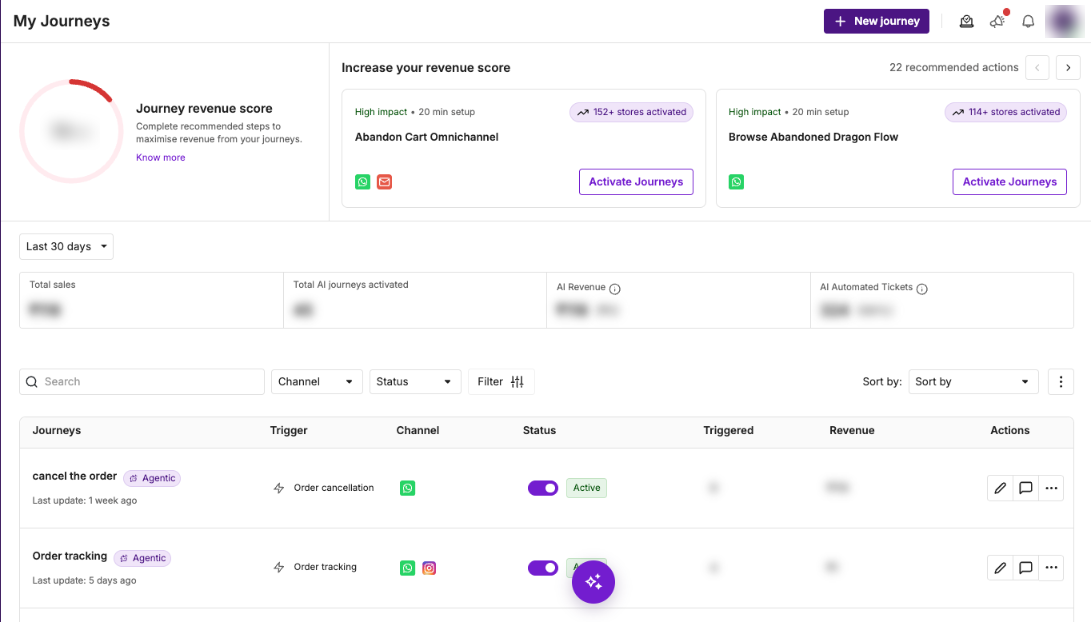
Examples in production: Ample Imagine turns a price drop into a timely WhatsApp message, LEGO India runs a post-purchase cross-sell flow, and Sleepyhead ran a multi-round contest that never lost a participant to a failed message.
Watch-out: BIK's standard plans start at $250 per month and are built for brands doing about ₹1 crore or more in monthly revenue, where markup savings and revenue from automated journeys matter most. Smaller brands can start on BIK's startup plan.
2. WATI: strong inbox, metered automation
WATI combines a shared inbox, chatbots, broadcasts and integrations with Shopify, WooCommerce, HubSpot, Salesforce, Zoho CRM and Zapier. Automation is metered: Growth includes 1,000 automation triggers a month, Pro 2,000 and Business 5,000, with more sold as add-ons. The Shopify integration is a $4.99 per month add-on and the Astra AI agent is priced separately. Good for teams whose automation is mostly inbound chat handling.
3. Interakt: simple automation for early-stage brands
Interakt offers a WhatsApp and Instagram inbox, a chatbot builder, catalogue sync and WhatsApp payments. Per an independent 2026 audit, custom events are not included on Starter and are limited to 5 on Growth and 7 on Advanced, which caps how many store-triggered automations you can build. Fine for a few core flows; growing brands hit the limits. See Interakt alternatives.
4. AiSensy: broadcasts first, bots as add-ons
AiSensy is built around broadcasts, Click-to-WhatsApp ads and payments, with unlimited users. Automation comes as add-ons: the drag-and-drop chatbot builder at ₹2,500 per month for 5 chatbots (it includes cart management, catalogue sharing and Shopify integration) and the WhatsApp AI Agent Builder at ₹1,350 per month for 1,000 AI messages. A sensible low-cost start for broadcast-led brands.
5. Gallabox: chatbot flows for sales teams
Gallabox includes chatbot flows on every plan, capped at 5 active flows on Basic, 20 on Essential and up to 100 on Advanced. Its focus is lead capture and sales conversations with several agents, which suits high-consideration products more than high-volume D2C retention.
6. respond.io: omnichannel inbox with workflows
respond.io is an omnichannel conversation platform with workflows and AI agents, listed at $79, $159 and $279 per month for Starter, Growth and Advanced, with a 7-day trial. It is strong for support and sales teams that work across many messaging channels. It is a general conversation platform rather than an ecommerce journey builder, so store-event logic depends on integrations.
7. SleekFlow: inbox plus Flow Builder
SleekFlow lists Essential at $49, Pro at $109 and Premium at $279 per month billed yearly. Essential has simple automations; the Automation Flow Builder starts on Pro. WhatsApp numbers carry a $15 monthly hosting fee and messages follow SleekFlow's rate card. A good fit for multi-market teams in Asia that sell through chat.
8. DIY: n8n or Zapier with the WhatsApp Cloud API
You can connect directly to Meta's WhatsApp Business Cloud API and automate with a workflow tool. n8n's WhatsApp Business Cloud node can send messages, send templates, and send and wait for a response, plus upload and download media. Zapier's WhatsApp Business integration offers actions to send freeform, template and media messages, and a message status trigger.
The appeal is control and low software cost: n8n Cloud is listed from €20 per month billed annually, and a self-hosted version is available on GitHub. You pay Meta's rates directly with no markup.
The cost is everything a commerce platform already does. With DIY you build and maintain:
- Template approval and versioning, and a fallback when Meta pauses a template.
- Opt-in records, opt-out handling and frequency caps per customer.
- Exit logic, such as stopping a cart flow when the order arrives.
- Retries for messages rejected by Meta's per-user marketing limits.
- An inbox for agents and revenue attribution per flow.
DIY is the right call for internal alerts, a single low-volume flow, or a brand with a platform team. For a full lifecycle programme it usually costs more in engineering time than a platform fee. A middle path: keep a platform for customer messaging and use n8n or Zapier to feed it events, which BIK supports through its Event APIs, webhooks and Zapier app.
See what your brand could automate. Our team builds the agents for you, and most brands are live in about 2 weeks.
How to choose a WhatsApp automation tool
- List your top five flows and their triggers. If most triggers are store events, you need a journey builder with native store integration.
- Check exit and frequency controls. Ask how a cart flow stops on purchase and how the tool caps messages per customer.
- Check metering. Some tools cap automation triggers, custom events or active flows per plan. Map your volume to those caps.
- Price the messages. Ask for the rate card and compare it with Meta's. See WhatsApp BSP markup explained.
- Check failure handling. Ask what happens to messages Meta rejects and to paused templates.
When another option fits better than BIK
- Your WhatsApp use is mostly inbound sales chat. WATI, Gallabox or respond.io are built around agent inboxes and seats.
- You have a platform team and one or two flows. n8n with the Cloud API gives full control, and BIK's BSP offering can provide the API access on its own.
- You only send occasional broadcasts, with no retention programme. A basic broadcast tool will do. Smaller brands that want lifecycle automation can start on BIK's startup plan.
- You sell mainly in Southeast Asia across many chat apps. SleekFlow or respond.io cover those channels well.
80%+ of tickets automated, or your money back. That's the Manifest AI guarantee, written into your contract.
FAQ
What is the best WhatsApp automation tool for Shopify stores?
For Shopify brands that want cart, order and post-purchase automation, BIK is the strongest fit: it has native Shopify triggers, cancel triggers, ready ecommerce journeys and no markup on Meta's message rates. Zoko is a WhatsApp-only alternative built around Shopify.
Can I automate WhatsApp with n8n?
Yes. n8n's WhatsApp Business Cloud node can send messages and templates, wait for a reply and handle media, using your WhatsApp Business Cloud API credentials. You still need approved templates and you must build opt-outs, retries and frequency limits yourself.
Is WhatsApp business automation allowed by Meta?
Yes, through the WhatsApp Business Platform. Messages outside the 24-hour window must use approved templates, customers must have opted in, and Meta limits how many marketing messages each user receives. Unofficial tools that automate the WhatsApp app itself break WhatsApp's terms and can get the number restricted.
Do automated WhatsApp messages cost money?
Template messages are charged per delivered message by category and country. From 1 October 2026, service replies inside the 24-hour window are charged at the utility rate after 1,000 free per number per month. Your provider may add a margin on top of Meta's rates.
What WhatsApp automations should an online store set up first?
Abandoned cart, order and COD confirmation, shipping updates, post-purchase cross-sell and review requests. These are triggered by something the customer just did, so they are expected and convert better than broadcasts.
What is the difference between a WhatsApp chatbot and WhatsApp automation?
A chatbot answers when the customer messages first. Automation also includes messages your system sends first, triggered by events such as a cart abandoned or an order shipped. Ecommerce brands usually need both.
Sources
- Meta for Developers: WhatsApp Business Platform pricing
- YCloud: WhatsApp pricing update effective 1 October 2026
- n8n docs: WhatsApp Business Cloud node
- n8n pricing
- Zapier: WhatsApp Business integrations
- WATI pricing
- AiSensy pricing
- Codingclave: Interakt pricing India 2026
- Gallabox pricing
- respond.io pricing
- SleekFlow pricing
- BIK help: Cancel trigger and trigger frequency
Related reading: Best WhatsApp marketing tools for Shopify brands, How to sell on WhatsApp: checkout, catalogue, loyalty and CRM, Top 10 WhatsApp Business API providers in 2026 and WhatsApp vs SMS vs email for ecommerce retention.